


Page 60 - CC 2019 GD Look Inside
P. 60
9.  Click either unlocked line with the Selection tool to select the Path object.
                   Again, joining the open endpoints combined the two Lines into a single Path object.

               10.  With the Path object selected, click the Round Join Corner option in the
                     Stroke panel.


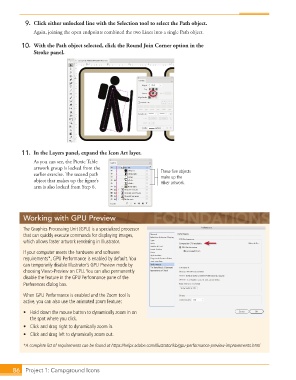
               11.  In the Layers panel, expand the Icon Art layer.
                   As you can see, the Picnic Table
                   artwork group is locked from the
                   earlier exercise. Th  e second path              These five objects
                                                                    make up the
                   object that makes up the fi gure’s               Hiker artwork.
                   arm is also locked from Step 6.


               Working with GPU Preview

               The Graphics Processing Unit (GPU) is a specialized processor
               that can quickly execute commands for displaying images,
               which allows faster artwork rendering in Illustrator.

               If your computer meets the hardware and software
               requirements*,  GPU Performance is enabled by default. You
               can temporarily disable Illustrator’s GPU Preview mode by
               choosing View>Preview on CPU. You can also permanently
               disable the feature in the  GPU Performance pane of the
               Preferences dialog box.

               When GPU Performance is enabled and the Zoom tool is
               active, you can also use the animated zoom feature:

               •  Hold down the mouse button to dynamically zoom in on
                  the spot where you click.
               •  Click and drag right to dynamically zoom in.
               •  Click and drag left to dynamically zoom out.

               *A complete list of requirements can be found at https://helpx.adobe.com/illustrator/kb/gpu-performance-preview-improvements.html


           86     Project 1: Campground Icons

