


Page 44 - CC 2019 ID Look Inside
P. 44
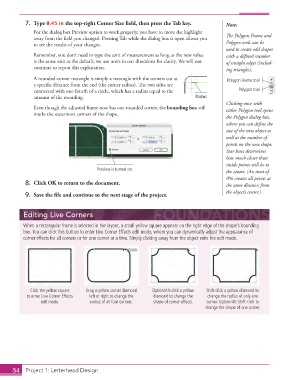
7. Type 0.45 in the top-right Corner Size fi eld, then press the Tab key.     Note:
                   For the dialog box Preview option to work properly, you have to move the highlight
                   away from the fi eld you changed. Pressing Tab while the dialog box is open allows you   Th  e  Polygon Frame and
                   to see the results of your changes.                                         Polygon tools can be
                                                                                             used to create odd shapes
                   Remember, you don’t need to type the unit of measurement as long as the new value   with a defi ned number
                   is the same unit as the default; we use units in our directions for clarity. We will not   of straight edges (includ-
                   continue to repeat this explanation.                                      ing triangles).
                   A rounded-corner rectangle is simply a rectangle with the corners cut at   Polygon Frame tool
                   a specifi c distance from the end (the  corner radius). Th  e two sides are
                   connected with one-fourth of a circle, which has a  radius equal to the        Polygon tool
                   amount of the rounding.                                       Radius
                                                                                             Clicking once with
                   Even though the adjusted frame now has one rounded corner, the  bounding box still   either Polygon tool opens
                   marks the outermost corners of the shape.
                                                                                             the Polygon dialog box,
                                                                                             where you can defi ne the
                                                                                             size of the new object as
                                                                                             well as the number of
                                                                                             points on the new shape.
                                                                                               Star Inset determines
                                                                                             how much closer those
                                                                                             inside points will be to
                                            Preview is turned on.                            the center. (An inset of
                                                                                             0% creates all points at
               8.  Click OK to return to the document.                                       the same distance from
                                                                                             the object’s center.)
               9.  Save the fi le and continue to the next stage of the project.


               Editing Live Corners
               When a rectangular frame is selected in the layout, a small yellow square appears on the right edge of the shape’s bounding
               box. You can click this button to enter  Live Corner Effects edit mode, where you can dynamically adjust the appearance of
               corner effects for all corners or for one corner at a time. Simply clicking away from the object exits the edit mode.


                  Click the yellow square   Drag a yellow corner diamond   Option/Alt-click a yellow   Shift-click a yellow diamond to
                 to enter Live Corner Effects   left or right to change the   diamond to change the   change the radius of only one
                      edit mode.         radius of all four corners.  shape of corner effects.  corner. Option/Alt-Shift-click to
                                                                                     change the shape of one corner.


           54     Project 1: Letterhead Design

