


Page 61 - Adobe Photoshop and Dreamviewer 2021
P. 61
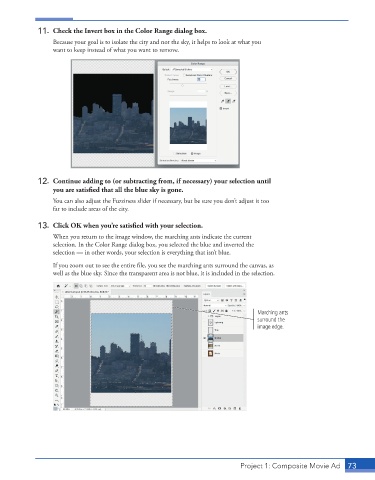
11.  Check the Invert box in the Color Range dialog box.
                 Because your goal is to isolate the city and not the sky, it helps to look at what you
                 want to keep instead of what you want to remove.


             12.  Continue adding to (or subtracting from, if necessary) your selection until
                 you are satisfied that all the blue sky is gone.

                 You can also adjust the Fuzziness slider if necessary, but be sure you don’t adjust it too
                 far to include areas of the city.

             13.  Click OK when you’re satisfied with your selection.
                 When you return to the image window, the marching ants indicate the current
                 selection. In the Color Range dialog box, you selected the blue and inverted the
                 selection — in other words, your selection is everything that isn’t blue.

                 If you zoom out to see the entire file, you see the marching ants surround the canvas, as
                 well as the blue sky. Since the transparent area is not blue, it is included in the selection.


                                                                                Marching ants
                                                                                surround the
                                                                                image edge.


                                                                          Project 1: Composite Movie Ad    73

