


Page 25 - Adobe Photoshop and Dreamviewer 2021
P. 25
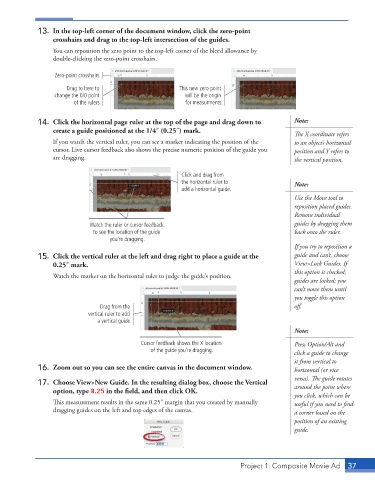
13.  In the top-left corner of the document window, click the zero-point
                 crosshairs and drag to the top-left intersection of the guides.
                 You can reposition the zero point to the top-left corner of the bleed allowance by
                 double-clicking the zero-point crosshairs.


                  Zero-point crosshairs
                     Drag to here to                    This new zero point
                  change the 0/0 point                    will be the origin
                        of the rulers.                    for measurments.

             14.  Click the horizontal page ruler at the top of the page and drag down to   Note:
                 create a guide positioned at the 1/4″ (0.25″) mark.

                                                                                           The X coordinate refers
                 If you watch the vertical ruler, you can see a marker indicating the position of the   to an object’s horizontal
                 cursor. Live cursor feedback also shows the precise numeric position of the guide you   position and Y refers to
                 are dragging.                                                             the vertical position.


                                                        Click and drag from
                                                        the horizontal ruler to            Note:
                                                        add a horizontal guide.
                                                                                           Use the Move tool to
                                                                                           reposition placed guides.
                                                                                           Remove individual
                            Watch the ruler or cursor feedback                             guides by dragging them
                             to see the location of the guide                              back onto the ruler.
                                   you’re dragging.
                                                                                           If you try to reposition a
             15.  Click the vertical ruler at the left and drag right to place a guide at the   guide and can’t, choose
                 0.25″ mark.                                                               View>Lock Guides. If
                                                                                           this option is checked,
                 Watch the marker on the horizontal ruler to judge the guide’s position.
                                                                                           guides are locked; you
                                                                                           can’t move them until
                                                                                           you toggle this option
                                Drag from the                                              off .
                            vertical ruler to add
                               a vertical guide.
                                                                                           Note:

                                            Cursor feedback shows the X location           Press Option/Alt and
                                               of the guide you’re dragging.               click a guide to change
                                                                                           it from vertical to
             16.  Zoom out so you can see the entire canvas in the document window.        horizontal (or vice

                                                                                           versa). The guide rotates
             17.  Choose View>New Guide. In the resulting dialog box, choose the Vertical   around the point where

                 option, type 8.25 in the field, and then click OK.
                                                                                           you click, which can be
                 This measurement results in the same 0.25″ margin that you created by manually   useful if you need to find


                 dragging guides on the left and top edges of the canvas.                  a corner based on the
                                                                                           position of an existing
                                                                                           guide.


                                                                          Project 1: Composite Movie Ad    37

