


Page 22 - CC 2019 ID Look Inside
P. 22
Understanding Resolution

                  Raster image quality depends directly on the fi le’s resolution;   Image  Resolution
                when you work with raster image fi les, you need to   When an output device creates halftone dots, it calculates
                understand the  resolution requirements from the very   the average value of a group of pixels and generates a
                beginning of the process:                      spot of appropriate size. An image’s resolution controls the
                •   Pixels per inch (ppi) is the number of pixels in one   quantity of pixel data that the printer can read. Regardless of
                  horizontal or vertical inch of a digital raster fi le.  the source — camera, scanner, or fi les created from scratch
                                                               in a program such as  Photoshop — images need to have
                •  Lines per inch (lpi) is the number of halftone dots   suffi cient resolution for the output device to generate enough
                  produced in a linear inch by an output device to simulate   halftone dots to create the appearance of continuous tone.
                  the appearance of continuous-tone color.
                •   Dots per inch (dpi) or  spots per inch (spi) is the   The relationship between pixels and halftone dots defi nes the
                  number of dots produced by an output device in a single   rule of resolution for raster-based images — the resolution of
                  line of output. Dpi is sometimes used interchangeably   a raster image (ppi) should be two times the screen ruling (lpi)
                  (although incorrectly) with pixels per inch.  that will be used for printing.
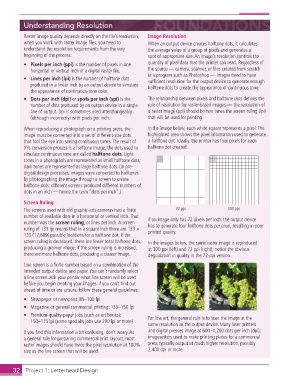
                When reproducing a photograph on a printing press, the   In the image below, each white square represents a pixel. The
                image must be converted into a set of different-size dots   highlighted area shows the pixel information used to generate
                that fool the eye into seeing continuous tones. The result of   a halftone dot. Ideally, the printer has four pixels for each
                this conversion process is a halftone image; the dots used to   halftone dot created.
                simulate continuous tone are called halftone dots. Light
                tones in a photograph are represented as small  halftone dots;
                dark tones are represented as large halftone dots. (In pre-
                digital design processes, images were converted to halftones
                by photographing the image through a screen to create
                halftone dots; different screens produced different numbers of
                dots in an inch — hence the term “dots per inch”.)

                Screen Ruling
                The screens used with old graphic-arts cameras had a fi nite   72 ppi          300 ppi
                number of available dots in a horizontal or vertical inch. That   If an image only has 72 pixels per inch, the output device
                number was the screen ruling, or lines per inch. A  screen   has to generate four halftone dots per pixel, resulting in poor
                ruling of 133 lpi means that in a square inch there are 133 1   printed quality.
                133 (17,689) possible locations for a halftone dot. If the
                screen ruling is decreased, there are fewer total halftone dots,   In the images below, the same raster image is reproduced
                producing a grainier image; if the screen ruling is increased,   at 300 ppi (left) and 72 ppi (right); notice the obvious
                there are more halftone dots, producing a clearer image.  degradation in quality in the 72-ppi version.

                Line screen is a fi nite number based on a combination of the
                intended output device and paper. You can’t randomly select
                a  line screen. Ask your printer what line screen will be used
                before you begin creating your images. If you can’t fi nd out
                ahead of time or are unsure, follow these general guidelines:
                •  Newspaper or newsprint: 85–100 lpi
                •  Magazine or general commercial printing: 133–150 lpi
                •  Premium-quality-paper jobs (such as art books):   For line art, the general rule is to scan the image at the
                  150–175 lpi (some specialty jobs use 200 lpi or more)
                                                               same resolution as the output device. Many laser printers
                If you fi nd this information a bit confusing, don’t worry. As   and digital presses image at 600–1,200  dots per inch (dpi);
                a general rule for preparing commercial print layouts, most   imagesetters used to make printing plates for a commercial
                raster images should have twice the pixel resolution at 100%   press typically output at much higher resolution, possibly
                size as the line screen that will be used.     2,400 dpi or more.


           32     Project 1: Letterhead Design

