


Page 22 - CC2018_ID_Look_Inside
P. 22
Understanding Resolution                           Image Resolution
               Raster image quality depends directly on the file’s
             INDESIGN FOUNDATIONS  to understand the resolution requirements from the very   average value of a group of pixels and generates a spot
               resolution; when you work with raster image files, you need
                                                              When a printer creates halftone dots, it calculates the
               beginning of the process:
                                                              of appropriate size. An image’s resolution controls the
                                                              quantity of pixel data that the printer can read. Regardless
               •  Pixels per inch (ppi) is the number of pixels in one
                                                              of the source — camera, scanner, or files created from
                  horizontal or vertical inch of a digital raster file.
                                                              scratch in a program such as Photoshop — images need
               •  Lines per inch (lpi) is the number of halftone dots
                                                              to have sufficient resolution for the output device to
                  produced in a horizontal or vertical linear inch by a
                  high-resolution imagesetter in order to simulate the
                                                              continuous tone.
                  appearance of continuous-tone color.
                                                              The relationship between pixels and halftone dots defines
               •  Dots per inch (dpi) or spots per inch (spi) is the   generate enough halftone dots to create the appearance of
                  number of dots produced by an output device in a single   the rule of resolution for raster-based images — the
                  line of output. Dpi is sometimes used interchangeably   resolution of a raster image (ppi) should be two times the
                  (although incorrectly) with pixels per inch.  screen ruling (lpi) that will be used for printing.
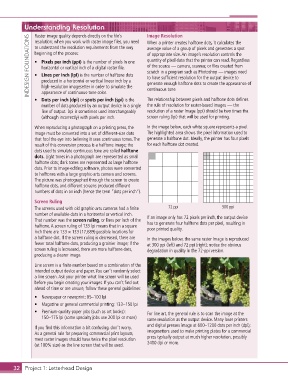
               When reproducing a photograph on a printing press, the   In the image below, each white square represents a pixel.
               image must be converted into a set of different-size dots   The highlighted area shows the pixel information used to
               that fool the eye into believing it sees continuous tones. The   generate a halftone dot. Ideally, the printer has four pixels
               result of this conversion process is a halftone image; the   for each halftone dot created.
               dots used to simulate continuous tone are called halftone
               dots. Light tones in a photograph are represented as small
               halftone dots; dark tones are represented as large halftone
               dots. Prior to image-editing software, photos were converted
               to halftones with a large graphic-arts camera and screens.
               The picture was photographed through the screen to create
               halftone dots, and different screens produced different
               numbers of dots in an inch (hence the term “dots per inch”).
               Screen Ruling
               The screens used with old graphic-arts cameras had a finite   72 ppi          300 ppi
               number of available dots in a horizontal or vertical inch.   If an image only has 72 pixels per inch, the output device
               That number was the screen ruling, or lines per inch of the   has to generate four halftone dots per pixel, resulting in
               halftone. A screen ruling of 133 lpi means that in a square   poor printed quality.
               inch there are 133 1 133 (17,689) possible locations for
               a halftone dot. If the screen ruling is decreased, there are   In the images below, the same raster image is reproduced
               fewer total halftone dots, producing a grainier image; if the   at 300 ppi (left) and 72 ppi (right); notice the obvious
               screen ruling is increased, there are more halftone dots,   degradation in quality in the 72-ppi version.
               producing a clearer image.

               Line screen is a finite number based on a combination of the
               intended output device and paper. You can’t randomly select
               a line screen. Ask your printer what line screen will be used
               before you begin creating your images. If you can’t find out
               ahead of time or are unsure, follow these general guidelines:
               •  Newspaper or newsprint: 85–100 lpi
               •  Magazine or general commercial printing: 133–150 lpi
               •  Premium-quality-paper jobs (such as art books):    For line art, the general rule is to scan the image at the
                  150–175 lpi (some specialty jobs use 200 lpi or more)  same resolution as the output device. Many laser printers
                                                              and digital presses image at 600–1200 dots per inch (dpi);
               If you find this information a bit confusing, don’t worry.
               As a general rule for preparing commercial print layouts,   imagesetters used to make printing plates for a commercial
               most raster images should have twice the pixel resolution   press typically output at much higher resolution, possibly
               (at 100% size) as the line screen that will be used.  2400 dpi or more.


       32 Project 1: Letterhead Design

