


Page 21 - CC2018_ID_Look_Inside
P. 21
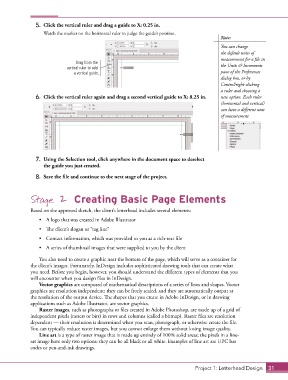
5.  Click the vertical ruler and drag a guide to X: 0.25 in.
                   Watch the marker on the horizontal ruler to judge the guide’s position.
                                                                                            Note:
                                                                                            You can change
                                                                                            the default units of
                                                                                            measurement for a file in
                                Drag from the
                             vertical ruler to add                                          the Units & Increments
                               a vertical guide.                                            pane of the Preferences
                                                                                            dialog box, or by
                                                                                            Control/right-clicking
                                                                                            a ruler and choosing a
                6.  Click the vertical ruler again and drag a second vertical guide to X: 8.25 in.  new option. Each ruler
                                                                                            (horizontal and vertical)
                                                                                            can have a different unit
                                                                                            of measurement.


                7.  Using the Selection tool, click anywhere in the document space to deselect
                   the guide you just created.

                8.  Save the file and continue to the next stage of the project.


              Stage 2 Creating Basic Page Elements

              Based on the approved sketch, the client’s letterhead includes several elements:

                 •  A logo that was created in Adobe Illustrator
                 •  The client’s slogan or “tag line”
                 •  Contact information, which was provided to you as a rich-text file

                 •  A series of thumbnail images that were supplied to you by the client

                 You also need to create a graphic near the bottom of the page, which will serve as a container for
              the client’s images. Fortunately, InDesign includes sophisticated drawing tools that can create what
              you need. Before you begin, however, you should understand the different types of elements that you
              will encounter when you design files in InDesign.
                 Vector graphics are composed of mathematical descriptions of a series of lines and shapes. Vector
              graphics are resolution independent; they can be freely scaled, and they are automatically output at
              the resolution of the output device. The shapes that you create in Adobe InDesign, or in drawing
              applications such as Adobe Illustrator, are vector graphics.
                 Raster images, such as photographs or files created in Adobe Photoshop, are made up of a grid of
              independent pixels (rasters or bits) in rows and columns (called a bitmap). Raster files are resolution
              dependent — their resolution is determined when you scan, photograph, or otherwise create the file.
              You can typically reduce raster images, but you cannot enlarge them without losing image quality.
                 Line art is a type of raster image that is made up entirely of 100% solid areas; the pixels in a line-
              art image have only two options: they can be all black or all white. Examples of line art are UPC bar
              codes or pen-and-ink drawings.


                                                                                  Project 1: Letterhead Design  31

