


Page 63 - CC2017_WD_Look_Inside
P. 63
10.  Click the arrow to the left of the Parchment Title group name to expand the
                   layer group.

                   You have to expand the layer group to be able to access and edit individual layers in the
                   group. If you select the entire layer group, you can move all layers within the group at
                   the same time. Layers in the group maintain their position relative to one another.


                                                                                            Note:
                                                                                            You can click the eye icon
                                                                                            for a layer folder to hide
                                                                                            the entire layer group
                                                                                            (and all layers inside the
                                                                                            folder).


               11.  Collapse the group by clicking the arrow left of the group name.

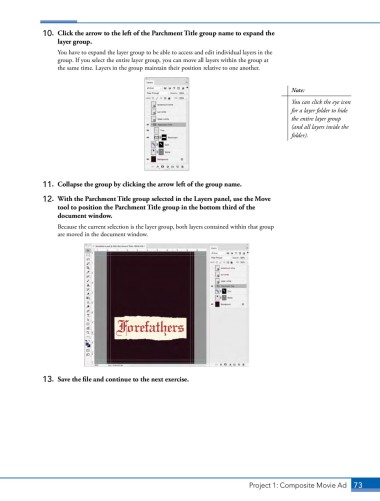
               12.  With the Parchment Title group selected in the Layers panel, use the Move
                   tool to position the Parchment Title group in the bottom third of the
                   document window.

                   Because the current selection is the layer group, both layers contained within that group
                   are moved in the document window.


               13.  Save the file and continue to the next exercise.


                                                                               Project 1: Composite Movie Ad    73

