


Page 53 - CC2017_WD_Look_Inside
P. 53
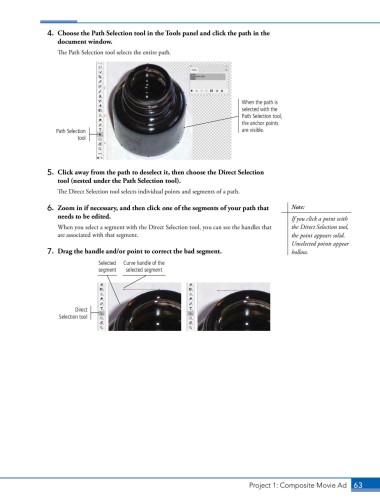
4.  Choose the Path Selection tool in the Tools panel and click the path in the
                   document window.

                   The Path Selection tool selects the entire path.


                                                                             When the path is
                                                                             selected with the
                                                                             Path Selection tool,
                                                                             the anchor points
                   Path Selection                                            are visible.
                         tool


                5.  Click away from the path to deselect it, then choose the Direct Selection
                   tool (nested under the Path Selection tool).

                   The Direct Selection tool selects individual points and segments of a path.

                6.  Zoom in if necessary, and then click one of the segments of your path that   Note:
                   needs to be edited.                                                      If you click a point with

                   When you select a segment with the Direct Selection tool, you can see the handles that   the Direct Selection tool,
                   are associated with that segment.                                        the point appears solid.
                                                                                            Unselected points appear
                7.  Drag the handle and/or point to correct the bad segment.                hollow.

                                Selected   Curve handle of the
                                segment  selected segment


                         Direct
                   Selection tool


                                                                               Project 1: Composite Movie Ad    63

