


Page 29 - CC2017_WD_Look_Inside
P. 29
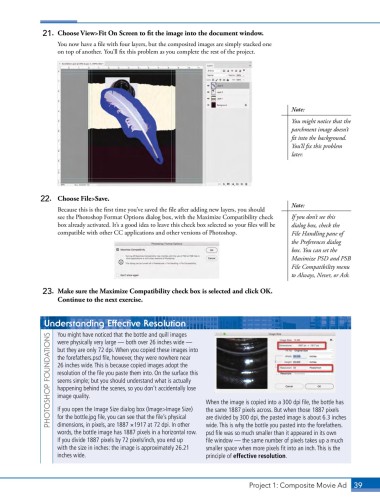
21.  Choose View>Fit On Screen to fit the image into the document window.
                   You now have a file with four layers, but the composited images are simply stacked one
                   on top of another. You’ll fix this problem as you complete the rest of the project.


                                                                                            Note:
                                                                                            You might notice that the
                                                                                            parchment image doesn’t
                                                                                            fit into the background.
                                                                                            You’ll fix this problem
                                                                                            later.


              22.   Choose File>Save.
                   Because this is the first time you’ve saved the file after adding new layers, you should   Note:
                   see the Photoshop Format Options dialog box, with the Maximize Compatibility check   If you don’t see this
                   box already activated. It’s a good idea to leave this check box selected so your files will be   dialog box, check the
                   compatible with other CC applications and other versions of Photoshop.   File Handling pane of
                                                                                            the Preferences dialog
                                                                                            box. You can set the
                                                                                            Maximize PSD and PSB
                                                                                            File Compatibility menu
                                                                                            to Always, Never, or Ask.

               23.  Make sure the Maximize Compatibility check box is selected and click OK.
                   Continue to the next exercise.


               Understanding Effective Resolution

                   You might have noticed that the bottle and quill images
                 PHOTOSHOP FOUNDATIONS  the forefathers.psd file, however, they were nowhere near   When the image is copied into a 300 dpi file, the bottle has
                   were physically very large — both over 26 inches wide —
                   but they are only 72 dpi. When you copied these images into

                   26 inches wide. This is because copied images adopt the
                   resolution of the file you paste them into. On the surface this
                   seems simple; but you should understand what is actually
                   happening behind the scenes, so you don’t accidentally lose
                   image quality.
                   If you open the Image Size dialog box (Image>Image Size)
                   for the bottle.jpg file, you can see that the file’s physical
                                                                 are divided by 300 dpi, the pasted image is about 6.3 inches
                   dimensions, in pixels, are 1887 1 1917 at 72 dpi. In other
                                                                 wide. This is why the bottle you pasted into the forefathers.
                   words, the bottle image has 1887 pixels in a horizontal row.   the same 1887 pixels across. But when those 1887 pixels
                                                                 psd file was so much smaller than it appeared in its own
                   If you divide 1887 pixels by 72 pixels/inch, you end up    file window — the same number of pixels takes up a much
                   with the size in inches: the image is approximately 26.21   smaller space when more pixels fit into an inch. This is the
                   inches wide.                                  principle of effective resolution.


                                                                               Project 1: Composite Movie Ad    39

