


Page 28 - CC2017_WD_Look_Inside
P. 28
14.  Click the forefathers.psd file window to activate that file, then choose
               Edit>Paste.

               The standard Cut and Paste options are available in Photoshop, just as they are in most
               applications. Whatever you have selected will be copied to the Clipboard, and whatever
               is in the Clipboard will be pasted.


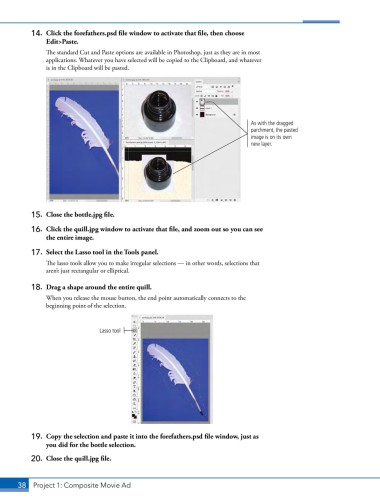
                                                                               As with the dragged
                                                                               parchment, the pasted
                                                                               image is on its own
                                                                               new layer.


           15.  Close the bottle.jpg file.

           16.  Click the quill.jpg window to activate that file, and zoom out so you can see
               the entire image.
           17.  Select the Lasso tool in the Tools panel.

               The lasso tools allow you to make irregular selections — in other words, selections that
               aren’t just rectangular or elliptical.

           18.  Drag a shape around the entire quill.
               When you release the mouse button, the end point automatically connects to the
               beginning point of the selection.


                                Lasso tool


           19.  Copy the selection and paste it into the forefathers.psd file window, just as
               you did for the bottle selection.

           20.  Close the quill.jpg file.


       38 Project 1: Composite Movie Ad

