


Page 48 - Adobe Photoshop and Dreamviewer 2021
P. 48
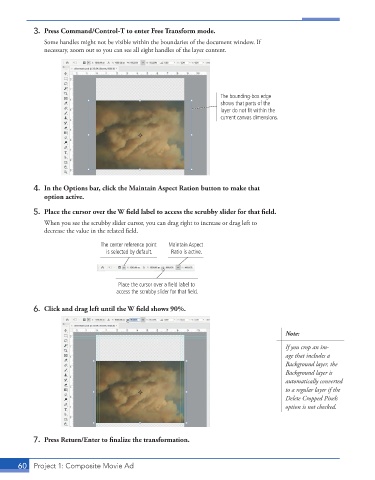
3.  Press Command/Control-T to enter Free Transform mode.
               Some handles might not be visible within the boundaries of the document window. If
               necessary, zoom out so you can see all eight handles of the layer content.


                                                                    The bounding-box edge
                                                                    shows that parts of the
                                                                    layer do not fit within the
                                                                    current canvas dimensions.


           4.  In the Options bar, click the Maintain Aspect Ration button to make that
              option active.

           5.  Place the cursor over the W field label to access the scrubby slider for that field.
               When you see the scrubby slider cursor, you can drag right to increase or drag left to
               decrease the value in the related field.

                                The center reference point   Maintain Aspect
                                 is selected by default.  Ratio is active.


                                     Place the cursor over a field label to
                                     access the scrubby slider for that field.

           6.  Click and drag left until the W field shows 90%.


                                                                                        Note:
                                                                                        If you crop an im-
                                                                                        age that includes a
                                                                                        Background layer, the
                                                                                        Background layer is
                                                                                        automatically converted
                                                                                        to a regular layer if the
                                                                                        Delete Cropped Pixels
                                                                                        option is not checked.


           7.  Press Return/Enter to finalize the transformation.


       60  Project 1: Composite Movie Ad

