


Page 73 - Adobe Photoshop 2022
P. 73
9.  Leave the Pixel Order radio button at the default value, and choose the
                 Byte Order option for your operating system.                              Note:
                 Pixel Order determines how channel data is encoded. The Interleaved (RGBRGB)
                 option is the default. Per Channel (RRGGBB) is called “planar” order.     Some experts argue that
                                                                                           choosing the order for
                 Byte Order determines which platform can use the file on older versions of desktop   your system can improve
                 publishing software. This option is largely obsolete because most modern software can   print quality, espe-
                 now read either byte order.                                               cially on desktop output
                 Save Image Pyramid creates a tiered file with multiple resolution versions; this isn’t   devices.
                 widely used or supported by other applications, so you can typically leave it unchecked.
                 If your file contains transparency, the Save Transparency check box will be available.
                 If you don’t choose this option, transparent areas will be white in the saved file.

             10.  In the Layer Compression area, make sure Discard Layers is selected.
                 These three options explain — right in the dialog box — what they do.

             11.  Click OK to save the file, then continue to the next exercise.


                  Reduce the Physical File Size

            The CD insert artwork needs to be approximately half the size of the album artwork.
            Reducing the file’s physical size is an easy process, although you need to check the
            positioning of various elements to make sure they meet the output requirements.
            In this exercise you will reduce the file’s physical size, and then make necessary layer
            adjustments to meet the needs of the CD insert.

              1.  With cd-artwork.psd open in Photoshop, choose Image>Image Size.

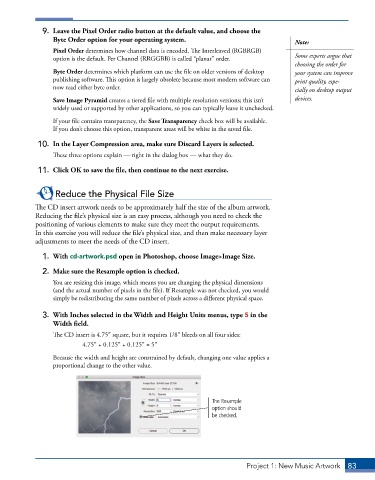
              2.  Make sure the Resample option is checked.
                 You are resizing this image, which means you are changing the physical dimensions
                 (and the actual number of pixels in the file). If Resample was not checked, you would
                 simply be redistributing the same number of pixels across a different physical space.

              3.  With Inches selected in the Width and Height Units menus, type 5 in the
                 Width field.
                 The CD insert is 4.75″ square, but it requires 1/8″ bleeds on all four sides:
                          4.75″ + 0.125″ + 0.125″ = 5″
                 Because the width and height are constrained by default, changing one value applies a
                 proportional change to the other value.


                                                                  The Resample
                                                                  option should
                                                                  be checked.


                                                                            Project 1: New Music Artwork   83

