


Page 78 - Adobe Photoshop 2022
P. 78
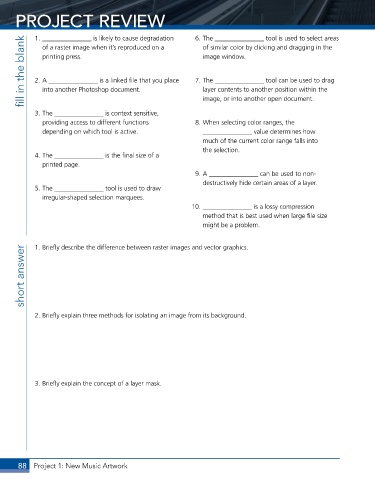
PROJECT REVIEW                                         6. The _______________ tool is used to select areas


            1. _______________ is likely to cause degradation
        fill in the blank    2. A _______________ is a linked file that you place     7. The _______________ tool can be used to drag
                                                               of similar color by clicking and dragging in the
              of a raster image when it’s reproduced on a
              printing press.
                                                               image window.


                                                               layer contents to another position within the
              into another Photoshop document.


            3. The _______________ is context sensitive,       image, or into another open document.
              providing access to different functions        8. When selecting color ranges, the
              depending on which tool is active.               _______________ value determines how
                                                               much of the current color range falls into
                                                               the selection.
            4. The _______________ is the final size of a
              printed page.
                                                             9. A _______________ can be used to non-
                                                               destructively hide certain areas of a layer.
            5. The _______________ tool is used to draw
              irregular-shaped selection marquees.
                                                            10. _______________ is a lossy compression
                                                               method that is best used when large file size
                                                               might be a problem.


            1. Briefly describe the difference between raster images and vector graphics.
        short answer


            2. Briefly explain three methods for isolating an image from its background.


            3. Briefly explain the concept of a layer mask.


       88  Project 1: New Music Artwork

