


Page 21 - CC2017_ID_Look_Inside
P. 21
CreAte ruler guides
              In addition to the margin and bleed guides that you defined when you created the
              document, you can also place ruler guides to mark whatever other positions you need
              to identify in your layout.
                 The live area is the “safe” area inside the page edge where important design
              elements should reside. Because printing and trimming are mechanical processes,   Note:
              there will always be some variation — however slight. Elements placed too close to
              the page edge run the risk of being accidentally trimmed off. The printer for this job   You should become
              recommended a 1/8″ live-area margin. You defined the margins for this file to describe   familiar with the
              the area that would typically occupy the content of a letter; in this exercise you will   common fraction-to-
              create ruler guides to mark the live area.                                    decimal equivalents:
                                                                                               1/8 = 0.125
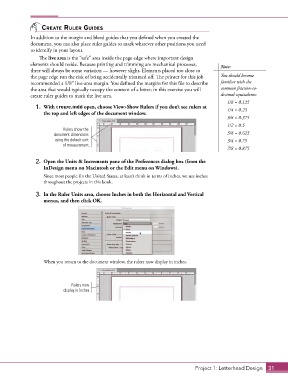
                1.  With crowe.indd open, choose View>Show Rulers if you don’t see rulers at   1/4 = 0.25
                   the top and left edges of the document window.
                                                                                               3/8 = 0.375
                                                                                               1/2 = 0.5
                           Rulers show the
                       document dimensions                                                     5/8 = 0.625
                        using the default unit                                                 3/4 = 0.75
                           of measurement.
                                                                                               7/8 = 0.875

                2.  Open the Units & Increments pane of the Preferences dialog box (from the
                   InDesign menu on Macintosh or the Edit menu on Windows).

                   Since most people (in the United States, at least) think in terms of inches, we use inches
                   throughout the projects in this book.

                3.  In the Ruler Units area, choose Inches in both the Horizontal and Vertical
                   menus, and then click OK.


                   When you return to the document window, the rulers now display in inches.


                               Rulers now
                           display in inches.


                                                                                  Project 1: Letterhead Design  31

