


Page 35 - Adobe Dream Viewer 2021
P. 35
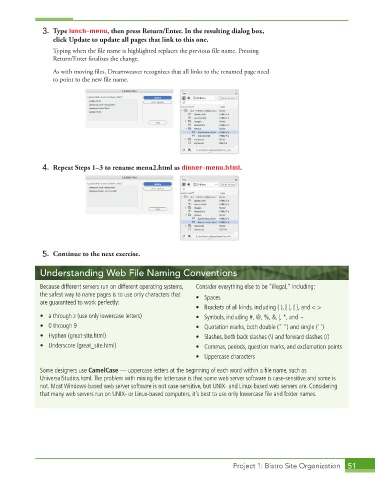
3. Type lunch-menu, then press Return/Enter. In the resulting dialog box,
                 click Update to update all pages that link to this one.
                 Typing when the file name is highlighted replaces the previous file name. Pressing


                 Return/Enter finalizes the change.


                 As with moving files, Dreamweaver recognizes that all links to the renamed page need

                 to point to the new file name.


             4.  Repeat Steps 1–3 to rename menu2.html as dinner-menu.html.


             5.  Continue to the next exercise.

             Understanding Web File Naming Conventions

             Because different servers run on different operating systems,   Consider everything else to be “illegal,” including:
             the safest way to name pages is to use only characters that   • Spaces
             are guaranteed to work perfectly:
                                                             •  Brackets of all kinds, including ( ), [ ], { }, and < >
             •  a through z (use only lowercase letters)     •  Symbols, including #, @, %, &, |, *, and ~
             •  0 through 9                                  •  Quotation marks, both double (“ ”) and single (‘ ’)
             •  Hyphen (great-site.html)                     •  Slashes, both back slashes (\) and forward slashes (/)
             •  Underscore (great_site.html)                 •  Commas, periods, question marks, and exclamation points
                                                             •  Uppercase characters

             Some designers use CamelCase — uppercase letters at the beginning of each word within a fi le name, such as
             UniversalStudios.html. The problem with mixing the lettercase is that some web server software is case-sensitive and some is
             not. Most Windows-based web server software is not case-sensitive, but UNIX- and Linux-based web servers are. Considering
             that many web servers run on UNIX- or Linux-based computers, it’s best to use only lowercase fi le and folder names.


                                                                        Project 1: Bistro Site Organization  51

