


Page 14 - CC 2019 GD Look Inside
P. 14
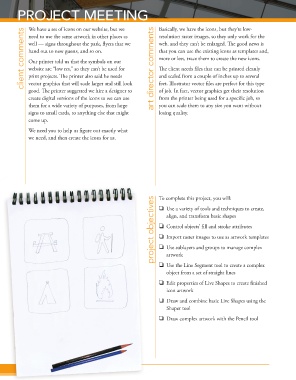
PROJECT MEETING                                       Basically, we have the icons, but they’re low-


                 We have a set of icons on our website, but we
               client comments  well — signs throughout the park, fl yers that we   art director comments  web, and they can’t be enlarged. Th  e good news is
                 need to use the same artwork in other places as
                                                                   resolution raster images, so they only work for the
                 hand out to new guests, and so on.
                                                                   that you can use the existing icons as templates and,
                                                                   more or less, trace them to create the new icons.
                 Our printer told us that the symbols on our
                                                                   Th  e client needs fi les that can be printed cleanly
                 website are “low res,” so they can’t be used for
                 print projects. Th  e printer also said he needs
                 vector graphics that will scale larger and still look
                                                                   feet. Illustrator vector fi les are perfect for this type
                                                                   of job. In fact, vector graphics get their resolution
                 good. Th  e printer suggested we hire a designer to   and scaled from a couple of inches up to several
                 create digital versions of the icons so we can use   from the printer being used for a specifi c job, so
                 them for a wide variety of purposes, from large   you can scale them to any size you want without
                 signs to small cards, to anything else that might   losing quality.
                 come up.

                 We need you to help us fi gure out exactly what
                 we need, and then create the icons for us.


                                                                 project objectives project objectives project objectives  To complete this project, you will:
                                                                     Use a variety of tools and techniques to create,
                                                                      align, and transform basic shapes

                                                                     Control objects’ fi ll and stroke attributes
                                                                     Import raster images to use as artwork templates

                                                                     Use sublayers and groups to manage complex
                                                                      artwork

                                                                     Use the Line Segment tool to create a complex
                                                                      object from a set of straight lines
                                                                     Edit properties of Live Shapes to create fi nished
                                                                      icon artwork
                                                                     Draw and combine basic Live Shapes using the
                                                                      Shaper tool

                                                                     Draw complex artwork with the Pencil tool


                  Project 1: Campground Iconsoject 1: Campground Icons
                Pr

