


Page 10 - CC 2019 GD Look Inside
P. 10
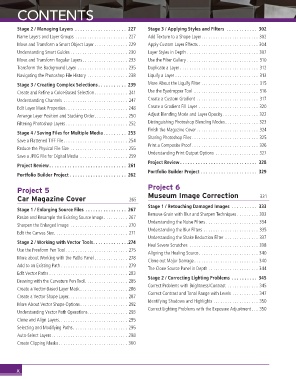
CONTENTS


             Stage 2 / Managing Layers  . . . . . . . . . . . . . . . . . . . .  227  Stage 3 / Applying Styles and Filters  . . . . . . . . . . . .  302
             Name Layers and Layer Groups  . . . . . . . . . . . . . . . . . . . . . . 227  Add Texture to a Shape Layer. . . . . . . . . . . . . . . . . . . . . . . . 302
             Move and Transform a Smart Object Layer . . . . . . . . . . . . . . 229  Apply Custom Layer Effects  . . . . . . . . . . . . . . . . . . . . . . . . . 304
             Understanding Smart Guides  . . . . . . . . . . . . . . . . . . . . . . . . 230  Layer Styles in Depth  . . . . . . . . . . . . . . . . . . . . . . . . . . . . . . 307
             Move and Transform Regular Layers. . . . . . . . . . . . . . . . . . . 233  Use the Filter Gallery  . . . . . . . . . . . . . . . . . . . . . . . . . . . . . .  310
             Transform the Background Layer  . . . . . . . . . . . . . . . . . . . . . 235  Duplicate a Layer . . . . . . . . . . . . . . . . . . . . . . . . . . . . . . . . .  312
             Navigating the Photoshop File History  . . . . . . . . . . . . . . . . . 238  Liquify a Layer  . . . . . . . . . . . . . . . . . . . . . . . . . . . . . . . . . . .  313
             Stage 3 / Creating Complex Selections . . . . . . . . . . .  239  More About the Liquify Filter  . . . . . . . . . . . . . . . . . . . . . . . .  315
             Create and Refi ne a Color-Based Selection. . . . . . . . . . . . . .  241  Use the Eyedropper Tool  . . . . . . . . . . . . . . . . . . . . . . . . . . .  316
             Understanding Channels  . . . . . . . . . . . . . . . . . . . . . . . . . . .  247  Create a Custom Gradient . . . . . . . . . . . . . . . . . . . . . . . . . .  317
             Edit Layer Mask Properties. . . . . . . . . . . . . . . . . . . . . . . . . . 248  Create a Gradient Fill Layer  . . . . . . . . . . . . . . . . . . . . . . . . . 320
             Arrange Layer Position and Stacking Order. . . . . . . . . . . . . . 250  Adjust Blending Mode and Layer Opacity . . . . . . . . . . . . . . . 322
             Filtering Photoshop Layers . . . . . . . . . . . . . . . . . . . . . . . . . . 252  Distinguishing Photoshop Blending Modes. . . . . . . . . . . . . . 323
                                                               Finish the Magazine Cover . . . . . . . . . . . . . . . . . . . . . . . . . .  324
             Stage 4 / Saving Files for Multiple Media . . . . . . . . .  253
                                                               Sharing Photoshop Files. . . . . . . . . . . . . . . . . . . . . . . . . . . . 325
             Save a Flattened TIFF File. . . . . . . . . . . . . . . . . . . . . . . . . . . 254
                                                               Print a Composite Proof . . . . . . . . . . . . . . . . . . . . . . . . . . . . 326
             Reduce the Physical File Size  . . . . . . . . . . . . . . . . . . . . . . . . 255
                                                               Understanding Print Output Options  . . . . . . . . . . . . . . . . . .  327
             Save a JPEG File for Digital Media  . . . . . . . . . . . . . . . . . . . . 259
                                                               Project Review . . . . . . . . . . . . . . . . . . . . . . . . . . . . . .  328
             Project Review . . . . . . . . . . . . . . . . . . . . . . . . . . . . . .  261
                                                               Portfolio Builder Project  . . . . . . . . . . . . . . . . . . . . . .  329
             Portfolio Builder Project  . . . . . . . . . . . . . . . . . . . . . .  262

             Project 5                                         Project 6
             Car Magazine Cover                         265    Museum Image Correction                    331
                                                               Stage 1 / Retouching Damaged Images  . . . . . . . . . .  333
             Stage 1 / Enlarging Source Files  . . . . . . . . . . . . . . . .  267
                                                               Remove Grain with Blur and Sharpen Techniques . . . . . . . . . 333
             Resize and Resample the Existing Source Image . . . . . . . . . . 267
                                                               Understanding the Noise Filters . . . . . . . . . . . . . . . . . . . . . . 334
             Sharpen the Enlarged Image  . . . . . . . . . . . . . . . . . . . . . . . .  270
                                                               Understanding the Blur Filters  . . . . . . . . . . . . . . . . . . . . . . . 335
             Edit the Canvas Size. . . . . . . . . . . . . . . . . . . . . . . . . . . . . . .  271
                                                               Understanding the Shake Reduction Filter  . . . . . . . . . . . . . . 337
             Stage 2 / Working with Vector Tools. . . . . . . . . . . . . .274
                                                               Heal Severe Scratches  . . . . . . . . . . . . . . . . . . . . . . . . . . . . . 338
             Use the Freeform Pen Tool . . . . . . . . . . . . . . . . . . . . . . . . . .  275
                                                               Aligning the Healing Source . . . . . . . . . . . . . . . . . . . . . . . . . 340
             More about Working with the Paths Panel . . . . . . . . . . . . . . 278
                                                               Clone out Major Damage . . . . . . . . . . . . . . . . . . . . . . . . . . . 340
             Add to an Existing Path  . . . . . . . . . . . . . . . . . . . . . . . . . . . . 279
                                                               The Clone Source Panel in Depth  . . . . . . . . . . . . . . . . . . . . . 344
             Edit Vector Paths  . . . . . . . . . . . . . . . . . . . . . . . . . . . . . . . . . 283
                                                               Stage 2 / Correcting Lighting Problems  . . . . . . . . . .  345
             Drawing with the Curvature Pen Tool. . . . . . . . . . . . . . . . . . 285
                                                               Correct Problems with Brightness/Contrast  . . . . . . . . . . . . . 345
             Create a Vector-Based Layer Mask . . . . . . . . . . . . . . . . . . . . 286
                                                               Correct Contrast and Tonal Range with Levels  . . . . . . . . . . . 347
             Create a Vector Shape Layer. . . . . . . . . . . . . . . . . . . . . . . . . 287
                                                               Identifying Shadows and Highlights . . . . . . . . . . . . . . . . . . . 350
             More About Vector Shape Options. . . . . . . . . . . . . . . . . . . . 292
                                                               Correct Lighting Problems with the Exposure Adjustment. . . 350
             Understanding Vector Path Operations. . . . . . . . . . . . . . . . . 293
             Clone and Align Layers. . . . . . . . . . . . . . . . . . . . . . . . . . . . . 295
             Selecting and Modifying Paths. . . . . . . . . . . . . . . . . . . . . . . 295
             Auto-Select Layers . . . . . . . . . . . . . . . . . . . . . . . . . . . . . . . . 298
             Create Clipping Masks . . . . . . . . . . . . . . . . . . . . . . . . . . . . . 300


             x

