


Page 9 - CC 2019 GD Look Inside
P. 9
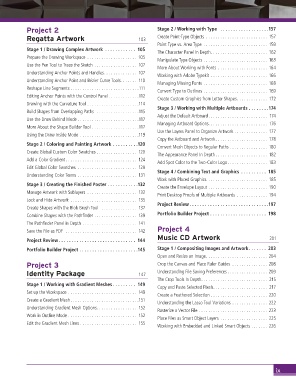
Project 2                                         Stage 2 / Working with Type   . . . . . . . . . . . . . . . . . . .157
                 Regatta Artwork                           103     Create Point-Type Objects  . . . . . . . . . . . . . . . . . . . . . . . . . .  157
                                                                   Point Type vs. Area Type  . . . . . . . . . . . . . . . . . . . . . . . . . . .  159
                 Stage 1 / Drawing Complex Artwork  . . . . . . . . . . . .  105
                                                                   The Character Panel In Depth. . . . . . . . . . . . . . . . . . . . . . . .  162
                 Prepare the Drawing Workspace  . . . . . . . . . . . . . . . . . . . . .  105
                                                                   Manipulate Type Objects  . . . . . . . . . . . . . . . . . . . . . . . . . . . 163
                 Use the Pen Tool to Trace the Sketch  . . . . . . . . . . . . . . . . . .  107
                                                                   More About Working with Fonts  . . . . . . . . . . . . . . . . . . . . . 164
                 Understanding Anchor Points and Handles. . . . . . . . . . . . . .  107
                                                                   Working with Adobe Typekit  . . . . . . . . . . . . . . . . . . . . . . . . 166
                 Understanding Anchor Point and Bézier Curve Tools. . . . . . .  110
                                                                   Managing Missing Fonts  . . . . . . . . . . . . . . . . . . . . . . . . . . . 168
                 Reshape Line Segments . . . . . . . . . . . . . . . . . . . . . . . . . . . . .111
                                                                   Convert Type to Outlines  . . . . . . . . . . . . . . . . . . . . . . . . . . .  169
                 Editing Anchor Points with the Control Panel . . . . . . . . . . . . .112
                                                                   Create Custom Graphics from Letter Shapes. . . . . . . . . . . . .  172
                 Drawing with the Curvature Tool  . . . . . . . . . . . . . . . . . . . . . .114
                                                                   Stage 3 / Working with Multiple Artboards  . . . . . . . .174
                 Build Shapes from Overlapping Paths   . . . . . . . . . . . . . . . . . .115
                                                                   Adjust the Default Artboard. . . . . . . . . . . . . . . . . . . . . . . . .  174
                 Use the Draw Behind Mode . . . . . . . . . . . . . . . . . . . . . . . . . .117
                                                                   Managing Artboard Options. . . . . . . . . . . . . . . . . . . . . . . . .  176
                 More About the Shape Builder Tool  . . . . . . . . . . . . . . . . . . . .117
                                                                   Use the Layers Panel to Organize Artwork  . . . . . . . . . . . . . .  177
                 Using the Draw Inside Mode  . . . . . . . . . . . . . . . . . . . . . . . . .119
                                                                   Copy the Artboard and Artwork. . . . . . . . . . . . . . . . . . . . . .  178
                 Stage 2 / Coloring and Painting Artwork  . . . . . . . . . .120
                                                                   Convert Mesh Objects to Regular Paths  . . . . . . . . . . . . . . . . 180
                 Create Global Custom Color Swatches  . . . . . . . . . . . . . . . . .  120
                                                                   The Appearance Panel In Depth . . . . . . . . . . . . . . . . . . . . . .  182
                 Add a Color Gradient. . . . . . . . . . . . . . . . . . . . . . . . . . . . . .  124
                                                                   Add Spot Color to the Two-Color Logo. . . . . . . . . . . . . . . . . 183
                 Edit Global Color Swatches  . . . . . . . . . . . . . . . . . . . . . . . . .  129
                                                                   Stage 4 / Combining Text and Graphics  . . . . . . . . . .  185
                 Understanding Color Terms  . . . . . . . . . . . . . . . . . . . . . . . . .  131
                                                                   Work with Placed Graphics  . . . . . . . . . . . . . . . . . . . . . . . . .  185
                 Stage 3 / Creating the Finished Poster  . . . . . . . . . . . .132
                                                                   Create the Envelope Layout  . . . . . . . . . . . . . . . . . . . . . . . . . 190
                 Manage Artwork with Sublayers  . . . . . . . . . . . . . . . . . . . . .  132
                                                                   Print Desktop Proofs of Multiple Artboards  . . . . . . . . . . . . . 194
                 Lock and Hide Artwork  . . . . . . . . . . . . . . . . . . . . . . . . . . . .  135
                                                                   Project Review . . . . . . . . . . . . . . . . . . . . . . . . . . . . . . .197
                 Create Shapes with the Blob Brush Tool   . . . . . . . . . . . . . . .  137
                 Combine Shapes with the Pathfi nder  . . . . . . . . . . . . . . . . . .  139  Portfolio Builder Project  . . . . . . . . . . . . . . . . . . . . . .  198
                 The Pathfi nder Panel in Depth  . . . . . . . . . . . . . . . . . . . . . . .  141
                 Save the File as PDF   . . . . . . . . . . . . . . . . . . . . . . . . . . . . . .  142  Project 4
                                                                   Music CD Artwork                           201
                 Project Review . . . . . . . . . . . . . . . . . . . . . . . . . . . . . .  144
                 Portfolio Builder Project  . . . . . . . . . . . . . . . . . . . . . . .145  Stage 1 / Compositing Images and Artwork. . . . . . .  203
                                                                   Open and Resize an Image. . . . . . . . . . . . . . . . . . . . . . . . . . 204
                 Project 3                                         Crop the Canvas and Place Ruler Guides  . . . . . . . . . . . . . . . 208
                 Identity Package                          147     Understanding File Saving Preferences . . . . . . . . . . . . . . . . . 209
                                                                   The Crop Tools In Depth. . . . . . . . . . . . . . . . . . . . . . . . . . . .  215
                 Stage 1 / Working with Gradient Meshes . . . . . . . . .  149
                                                                   Copy and Paste Selected Pixels. . . . . . . . . . . . . . . . . . . . . . .  217
                 Set up the Workspace  . . . . . . . . . . . . . . . . . . . . . . . . . . . . .  149
                                                                   Create a Feathered Selection  . . . . . . . . . . . . . . . . . . . . . . . . 220
                 Create a Gradient Mesh . . . . . . . . . . . . . . . . . . . . . . . . . . . . .151
                                                                   Understanding the Lasso Tool Variations  . . . . . . . . . . . . . . . 222
                 Understanding Gradient Mesh Options. . . . . . . . . . . . . . . . .  152
                                                                   Rasterize a Vector File  . . . . . . . . . . . . . . . . . . . . . . . . . . . . . 223
                 Work in Outline Mode  . . . . . . . . . . . . . . . . . . . . . . . . . . . . .  152
                                                                   Place Files as Smart Object Layers  . . . . . . . . . . . . . . . . . . . . 225
                 Edit the Gradient Mesh Lines  . . . . . . . . . . . . . . . . . . . . . . . .  155
                                                                   Working with Embedded and Linked Smart Objects  . . . . . . . 226


                                                                                                                ix

