


Page 9 - CC2018_ID_Look_Inside
P. 9
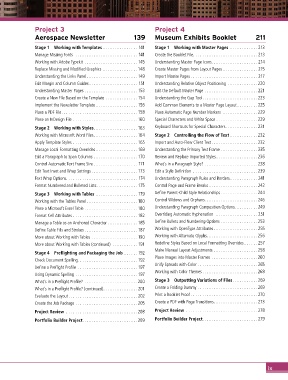
Project 3                                         Project 4
               Aerospace Newsletter                     139      Museum Exhibits Booklet                  211

               Stage 1  Working with Templates ............... 141  Stage 1  Working with Master Pages ............ 213
               Manage Missing Fonts  ........................... 141  Create the Booklet File............................ 213
               Working with Adobe Typekit ....................... 145  Understanding Master Page Icons.................... 214
               Replace Missing and Modified Graphics ...............148  Create Master Pages from Layout Pages ............... 215
               Understanding the Links Panel ...................... 149  Import Master Pages ............................. 217
               Edit Margin and Column Guides ..................... 151  Understanding Relative Object Positioning .............220
               Understanding Master Pages ....................... 153  Edit the Default Master Page ....................... 221
               Create a New File Based on the Template .............. 154  Understanding the Gap Tool........................223
               Implement the Newsletter Template .................. 156  Add Common Elements to a Master Page Layout .........225
               Place a PDF File................................. 158  Place Automatic Page Number Markers  ...............229
               Place an InDesign File ............................160  Special Characters and White Space ..................229
               Stage 2  Working with Styles................... 163  Keyboard Shortcuts for Special Characters.............. 231
               Working with Microsoft Word Files...................164  Stage 2  Controlling the Flow of Text ............232
               Apply Template Styles ............................ 165  Import and Auto-Flow Client Text....................232
               Manage Local Formatting Overrides .................. 169  Understanding the Primary Text Frame ................235
               Edit a Paragraph to Span Columns ................... 170  Review and Replace Imported Styles..................236
               Control Automatic Text Frame Size ................... 171  What’s in a Paragraph Style? .......................238
               Edit Text Inset and Wrap Settings .................... 173  Edit a Style Definition ............................239
               Text Wrap Options............................... 174  Understanding Paragraph Rules and Borders ............ 241
               Format Numbered and Bulleted Lists.................. 175  Control Page and Frame Breaks ..................... 242
               Stage 3  Working with Tables .................. 179  Define Parent-Child Style Relationships ................244
               Working with the Tables Panel ......................180  Control Widows and Orphans.......................246
               Place a Microsoft Excel Table .......................180  Understanding Paragraph Composition Options.......... 249
               Format Cell Attributes ............................ 182  Overriding Automatic Hyphenation  .................. 251
               Manage a Table as an Anchored Character ............. 185  Define Bullets and Numbering Options ................253
               Define Table Fills and Strokes ....................... 187  Working with OpenType Attributes ................... 255
               More about Working with Tables ....................190  Working with Alternate Glyphs......................256
               More about Working with Tables (continued) ........... 191  Redefine Styles Based on Local Formatting Overrides ...... 257
                                                                 Make Manual Layout Adjustments ...................258
               Stage 4  Preflighting and Packaging the Job ...... 192
                                                                 Place Images into Master Frames ....................260
               Check Document Spelling.......................... 192
                                                                 Unify Spreads with Color ..........................265
               Define a Preflight Profile .......................... 197
               Using Dynamic Spelling ........................... 197  Working with Color Themes ........................268
               What’s in a Preflight Profile? .......................200  Stage 3  Outputting Variations of Files...........269
               What’s in a Preflight Profile? (continued)............... 201  Create a Folding Dummy ..........................269
               Evaluate the Layout..............................202  Print a Booklet Proof ............................. 270
               Create the Job Package ...........................205  Create a PDF with Page Transitions................... 273

               Project Review ...............................208  Project Review ............................... 278
               Portfolio Builder Project........................209  Portfolio Builder Project........................ 279


                                                                                                                ix

