


Page 11 - CC2018_ID_Look_Inside
P. 11
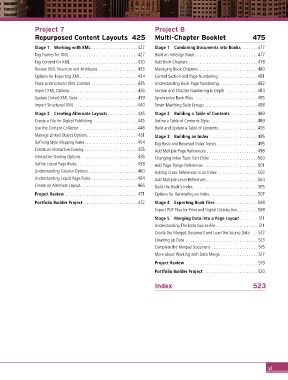
Project 7                                         Project 8
               Repurposed Content Layouts  425                   Multi-Chapter Booklet                   475

               Stage 1  Working with XML .................... 427  Stage 1  Combining Documents into Books ....... 477
               Tag Frames for XML.............................. 427  Build an InDesign Book ........................... 477
               Tag Content for XML .............................430  Add Book Chapters .............................. 478
               Review XML Structure and Attributes .................433  Managing Book Chapters..........................480
               Options for Exporting XML.........................434  Control Section and Page Numbering .................481
               Place Unstructured XML Content .................... 435  Understanding Book Page Numbering.................482
               Import XML Options .............................436  Section and Chapter Numbering in Depth ..............484
               Update Linked XML Data ..........................439  Synchronize Book Files  ...........................485
               Import Structured XML ...........................440  Smart Matching Style Groups .......................488
               Stage 2  Creating Alternate Layouts .............445  Stage 2  Building a Table of Contents  ...........489
               Create a File for Digital Publishing ...................445  Define a Table of Contents Style .....................489
               Use the Content Collector .........................446  Build and Update a Table of Contents ................. 493
               Manage Linked Object Options...................... 451  Stage 3  Building an Index  ....................495
               Defining Style Mapping Rules.......................454  Tag Basic and Reversed Index Topics..................495
               Create an Interactive Overlay ....................... 455  Add Multiple Page References ......................498
               Interactive Overlay Options  ........................ 455  Changing Index Topic Sort Order ....................500
               Define Liquid Page Rules ..........................458  Add Page-Range References .......................501
               Understanding Column Options .....................460  Adding Cross-References in an Index .................503
               Understanding Liquid Page Rules ....................464  Add Multiple-Level References ......................504
               Create an Alternate Layout.........................466  Build the Book’s Index............................505
               Project Review ............................... 471  Options for Generating an Index.....................507
               Portfolio Builder Project........................ 472  Stage 4  Exporting Book Files ..................508
                                                                 Export PDF Files for Print and Digital Distribution.........508

                                                                 Stage 5  Merging Data into a Page Layout ........ 511
                                                                 Understanding The Data Source File .................. 511
                                                                 Create the Merged Document and Load the Source Data ... 512
                                                                 Cleaning up Data ............................... 513
                                                                 Complete the Merged Document .................... 515
                                                                 More about Working with Data Merge ................ 517
                                                                 Project Review ............................... 519
                                                                 Portfolio Builder Project........................520


                                                                 Index                                   523


                                                                                                                xi

