


Page 6 - CC2018_ID_Look_Inside
P. 6
Projects at a Glance
          Projects at a Glance
          Projects at a Glance
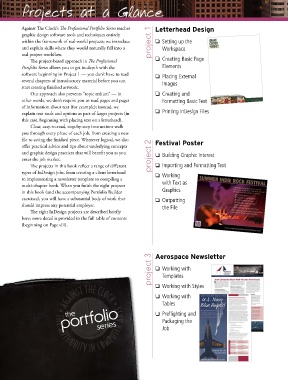
          Against The Clock’s The Professional Portfolio Series teaches   Letterhead Design
          graphic design software tools and techniques entirely
          within the framework of real-world projects; we introduce   project 1  o  Setting up the
          and explain skills where they would naturally fall into a   Workspace
          real project workflow.
              The project-based approach in The Professional     o  Creating Basic Page
          Portfolio Series allows you to get in-depth with the      Elements
          software beginning in Project 1 — you don’t have to read   o  Placing External
          several chapters of introductory material before you can   Images
          start creating finished artwork.
              Our approach also prevents “topic tedium” — in     o  Creating and
          other words, we don’t require you to read pages and pages   Formatting Basic Text
          of information about text (for example); instead, we
          explain text tools and options as part of larger projects (in   o  Printing InDesign Files
          this case, beginning with placing text on a letterhead).
              Clear, easy-to-read, step-by-step instructions walk
          you through every phase of each job, from creating a new
          file to saving the finished piece. Wherever logical, we also
          offer practical advice and tips about underlying concepts   Festival Poster
          and graphic design practices that will benefit you as you   o  Building Graphic Interest
          enter the job market.                                project 2
              The projects in this book reflect a range of different   o  Importing and Formatting Text
          types of InDesign jobs, from creating a client letterhead    o  Working
          to implementing a newsletter template to compiling a
          multi-chapter book. When you finish the eight projects    with Text as
          in this book (and the accompanying Portfolio Builder      Graphics
          exercises), you will have a substantial body of work that   o  Outputting
          should impress any potential employer.                    the File
              The eight InDesign projects are described briefly
          here; more detail is provided in the full table of contents
          (beginning on Page viii).


                                                               project 3  Aerospace Newsletter

                                                                 o  Working with
                                                                    Templates

                                                                 o  Working with Styles
                                                                 o  Working with
                                                                    Tables
                          portfolio                              o  Preflighting and
                            the

                                                                    Packaging the
                                         series
                                                                    Job

