


Page 65 - Adobe Indesign CC 2020
P. 65
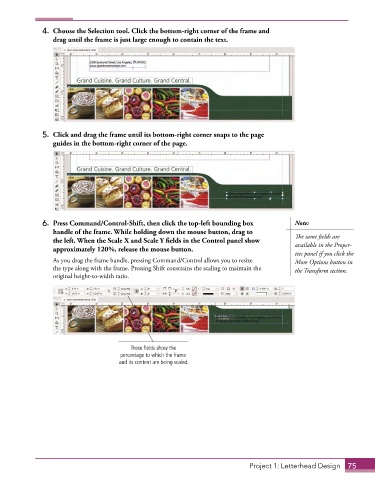
4.  Choose the Selection tool. Click the bottom-right corner of the frame and
                 drag until the frame is just large enough to contain the text.


              5.  Click and drag the frame until its bottom-right corner snaps to the page
                 guides in the bottom-right corner of the page.


              6.  Press Command/Control-Shift, then click the top-left bounding box        Note:
                 handle of the frame. While holding down the mouse button, drag to         The same fields are
                 the left. When the Scale X and Scale Y fields in the Control panel show   available in the Proper-
                 approximately 120%, release the mouse button.
                                                                                           ties panel if you click the
                 As you drag the frame handle, pressing Command/Control allows you to resize   More Options button in
                 the type along with the frame. Pressing Shift constrains the scaling to maintain the   the Transform section.
                 original height-to-width ratio.


                                         These fields show the
                                      percentage to which the frame
                                     and its content are being scaled.


                                                                             Project 1: Letterhead Design  75

