


Page 67 - Adobe Indesign CC 2020
P. 67
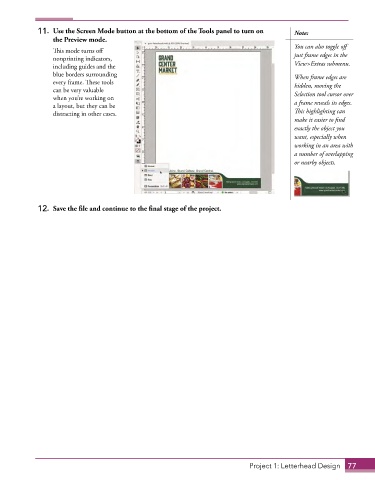
11.  Use the Screen Mode button at the bottom of the Tools panel to turn on   Note:
                 the Preview mode.
                                                                                           You can also toggle off
                 This mode turns off
                 nonprinting indicators,                                                   just frame edges in the
                 including guides and the                                                  View>Extras submenu.
                 blue borders surrounding                                                  When frame edges are
                 every frame. These tools                                                  hidden, moving the
                 can be very valuable                                                      Selection tool cursor over
                 when you’re working on
                 a layout, but they can be                                                 a frame reveals its edges.
                 distracting in other cases.                                               This highlighting can
                                                                                           make it easier to find
                                                                                           exactly the object you
                                                                                           want, especially when
                                                                                           working in an area with
                                                                                           a number of overlapping
                                                                                           or nearby objects.


             12.  Save the file and continue to the final stage of the project.


                                                                             Project 1: Letterhead Design  77

