


Page 24 - CS6_WD_Look_Inside
P. 24
7.  Click OK to apply the change and return to the document window.


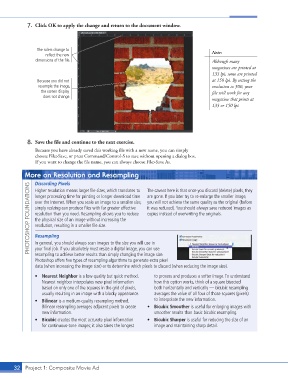
                     The rulers change to                                                    Note:
                         reflect the new
                    dimensions of the file.                                                  Although many
                                                                                             magazines are printed at
                                                                                             133 lpi, some are printed
                     Because you did not                                                     at 150 lpi. By setting the
                     resample the image,                                                     resolution to 300, your
                       the screen display                                                    file will work for any
                       does not change.
                                                                                             magazine that prints at
                                                                                             133 or 150 lpi.


                 8.  Save the file and continue to the next exercise.
                    Because you have already saved this working file with a new name, you can simply
                    choose File>Save, or press Command/Control-S to save without opening a dialog box.
                    If you want to change the file name, you can always choose File>Save As.

                More on Resolution and Resampling                  The caveat here is that once you discard (delete) pixels, they

                    Discarding Pixels
                  PHOTOSHOP FOUNDATIONS  over the Internet. When you scale an image to a smaller size,  you will not achieve the same quality as the original (before
                    Higher resolution means larger file sizes, which translates to
                    longer processing time for printing or longer download time
                                                                   are gone. If you later try to re-enlarge the smaller image,
                    simply resizing can produce files with far greater effective
                                                                   it was reduced). You should always save reduced images as
                    resolution than you need. Resampling allows you to reduce
                                                                   copies instead of overwriting the originals.
                    the physical size of an image without increasing the
                    resolution, resulting in a smaller file size.
                    Resampling
                    In general, you should always scan images to the size you will use in
                    your final job. If you absolutely must resize a digital image, you can use
                    resampling to achieve better results than simply changing the image size.
                    Photoshop offers five types of resampling algorithms to generate extra pixel
                    data (when increasing the image size) or to determine which pixels to discard (when reducing the image size).
                    •  Nearest Neighbor is a low-quality but quick method.   to process and produces a softer image. To understand
                       Nearest neighbor interpolates new pixel information   how this option works, think of a square bisected
                       based on only one of the squares in the grid of pixels,   both horizontally and vertically — bicubic resampling
                       usually resulting in an image with a blocky appearance.  averages the value of all four of those squares (pixels)
                    •  Bilinear is a medium-quality resampling method.   to interpolate the new information.
                       Bilinear resampling averages adjacent pixels to create   •  Bicubic Smoother is useful for enlarging images with
                       new information.                              smoother results than basic bicubic resampling.
                    •  Bicubic creates the most accurate pixel information   •  Bicubic Sharper is useful for reducing the size of an
                       for continuous-tone images; it also takes the longest   image and maintaining sharp detail.


           32 Project 1: Composite Movie Ad

