


Page 75 - Web Combo 2022
P. 75
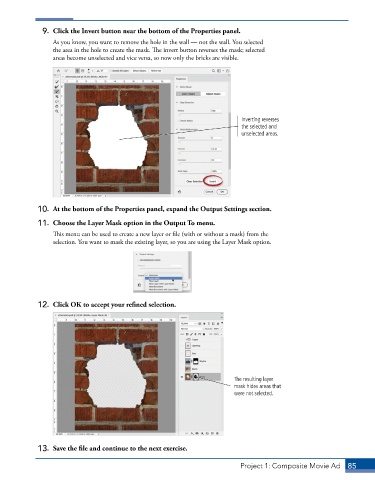
9.  Click the Invert button near the bottom of the Properties panel.
                 As you know, you want to remove the hole in the wall — not the wall. You selected
                 the area in the hole to create the mask. The invert button reverses the mask; selected
                 areas become unselected and vice versa, so now only the bricks are visible.


                                                                           Inverting reverses
                                                                           the selected and
                                                                           unselected areas.


             10.  At the bottom of the Properties panel, expand the Output Settings section.

             11.  Choose the Layer Mask option in the Output To menu.
                 This menu can be used to create a new layer or file (with or without a mask) from the
                 selection. You want to mask the existing layer, so you are using the Layer Mask option.


             12.  Click OK to accept your refined selection.


                                                                        The resulting layer
                                                                        mask hides areas that
                                                                        were not selected.


             13.  Save the file and continue to the next exercise.


                                                                          Project 1: Composite Movie Ad    85

