


Page 66 - CS6_PS_Look_Inside
P. 66
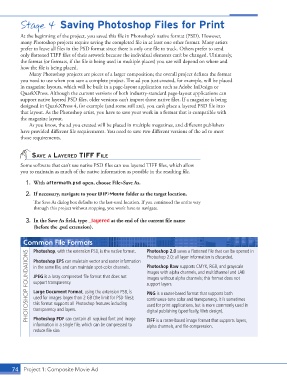
Stage 4  Saving Photoshop Files for Print


               At the beginning of the project, you saved this file in Photoshop’s native format (PSD). However,
               many Photoshop projects require saving the completed file in at least one other format. Many artists
               prefer to leave all files in the PSD format since there is only one file to track. Others prefer to send
               only flattened TIFF files of their artwork because the individual elements can’t be changed. Ultimately,
               the format (or formats, if the file is being used in multiple places) you use will depend on where and
               how the file is being placed.
                  Many Photoshop projects are pieces of a larger composition; the overall project defines the format
               you need to use when you save a complete project. The ad you just created, for example, will be placed
               in magazine layouts, which will be built in a page-layout application such as Adobe InDesign or
               QuarkXPress. Although the current versions of both industry-standard page-layout applications can
               support native layered PSD files, older versions can’t import those native files. If a magazine is being
               designed in QuarkXPress 4, for example (and some still are), you can’t place a layered PSD file into
               that layout. As the Photoshop artist, you have to save your work in a format that is compatible with
               the magazine layout.
                  As you know, the ad you created will be placed in multiple magazines, and different publishers
               have provided different file requirements. You need to save two different versions of the ad to meet
               those requirements.


                   sAve A lAyered tiff file

               Some software that can’t use native PSD files can use layered TIFF files, which allow
               you to maintain as much of the native information as possible in the resulting file.

                 1.  With aftermath.psd open, choose File>Save As.

                 2.  If necessary, navigate to your WIP>Movie folder as the target location.
                    The Save As dialog box defaults to the last-used location. If you continued the entire way
                    through this project without stopping, you won’t have to navigate.

                 3.  In the Save As field, type _layered at the end of the current file name
                    (before the .psd extension).

                Common File Formats                                Photoshop 2.0 saves a flattened file that can be opened in

                    Photoshop, with the extension PSD, is the native format.
                  PHOTOSHOP FOUNDATIONS  in the same file, and can maintain spot-color channels.   Photoshop Raw supports CMYK, RGB, and grayscale
                                                                   Photoshop 2.0; all layer information is discarded.
                    Photoshop EPS can maintain vector and raster information
                                                                   images with alpha channels, and multichannel and LAB
                    JPEG is a lossy compressed file format that does not
                                                                   images without alpha channels; this format does not
                    support transparency.
                                                                   support layers.
                    Large Document Format, using the extension PSB, is
                                                                   PNG is a raster-based format that supports both
                    used for images larger than 2 GB (the limit for PSD files);
                                                                   continuous-tone color and transparency. It is sometimes
                    this format supports all Photoshop features including
                                                                   used for print applications, but is more commonly used in
                    transparency and layers.
                    Photoshop PDF can contain all required font and image
                                                                   TIFF is a raster-based image format that supports layers,
                    information in a single file, which can be compressed to   digital publishing (specifically, Web design).
                                                                   alpha channels, and file compression.
                    reduce file size.


           74 Project 1: Composite Movie Ad

