


Page 74 - CC2018_PS_Look_Inside
P. 74
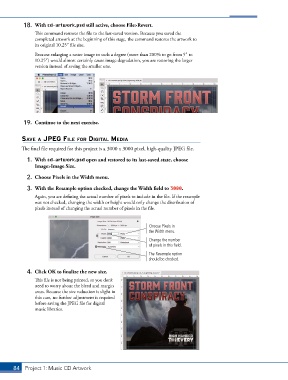
18.  With cd-artwork.psd still active, choose File>Revert.
               This command restores the file to the last-saved version. Because you saved the
               completed artwork at the beginning of this stage, the command restores the artwork to
               its original 10.25″ file size.
               Because enlarging a raster image to such a degree (more than 200% to go from 5″ to
               10.25″) would almost certainly cause image degradation, you are restoring the larger
               version instead of saving the smaller one.


           19.  Continue to the next exercise.


          savE a jpEg fIlE for dIgItal mEdIa
          The final file required for this project is a 3000 x 3000 pixel, high-quality JPEG file.

            1.  With cd-artwork.psd open and restored to its last-saved state, choose
               Image>Image Size.

            2.  Choose Pixels in the Width menu.

            3.  With the Resample option checked, change the Width field to 3000.
               Again, you are defining the actual number of pixels to include in the file. If the resample
               was not checked, changing the width or height would only change the distribution of
               pixels instead of changing the actual number of pixels in the file.


                                                              Choose Pixels in
                                                              the Width menu.
                                                              Change the number
                                                              of pixels in this field.

                                                              The Resample option
                                                              should be checked.

            4.  Click OK to finalize the new size.
               This file is not being printed, so you don’t
               need to worry about the bleed and margin
               areas. Because the size reduction is slight in
               this case, no further adjustment is required
               before saving the JPEG file for digital
               music libraries.


       84 Project 1: Music CD Artwork

