


Page 51 - CC2017_PS_Look_Inside
P. 51
5.  Choose Edit>Undo Flip Canvas Vertical.
                   The Undo command affects the last action you performed;
                   the actual command changes to reflect the action that will be
                   undone. Showing or hiding a layer is not considered an “action,” so the Undo command
                   simply un-flips the canvas. The Logos group is again hidden, as it was when you flipped
                   the canvas in Step 3.

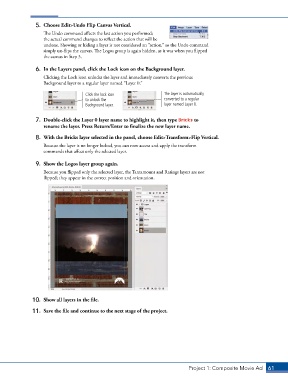
                6.  In the Layers panel, click the Lock icon on the Background layer.
                   Clicking the Lock icon unlocks the layer and immediately converts the previous
                   Background layer to a regular layer named “Layer 0.”

                                    Click the lock icon              The layer is automatically
                                    to unlock the                    converted to a regular
                                    Background layer.                layer named Layer 0.


                7.  Double-click the Layer 0 layer name to highlight it, then type Bricks to
                   rename the layer. Press Return/Enter to finalize the new layer name.
                8.  With the Bricks layer selected in the panel, choose Edit>Transform>Flip Vertical.

                   Because the layer is no longer locked, you can now access and apply the transform
                   commands that affect only the selected layer.

                9.  Show the Logos layer group again.

                   Because you flipped only the selected layer, the Tantamount and Ratings layers are not
                   flipped; they appear in the correct position and orientation.


               10.  Show all layers in the file.

               11.  Save the file and continue to the next stage of the project.


                                                                               Project 1: Composite Movie Ad    61

