


Page 41 - CC2017_PS_Look_Inside
P. 41
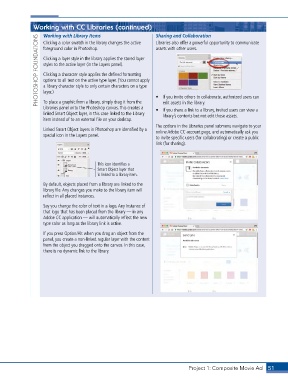
Working with CC Libraries (continued)             Sharing and Collaboration
                   Working with Library Items
                 PHOTOSHOP FOUNDATIONS  Clicking a layer style in the library applies the stored layer
                                                                 Libraries also offer a powerful opportunity to communicate
                   Clicking a color swatch in the library changes the active
                                                                 assets with other users.
                   foreground color in Photoshop.

                   styles to the active layer (in the Layers panel).
                   Clicking a character style applies the defined formatting
                   options to all text on the active type layer. (You cannot apply
                   a library character style to only certain characters on a type
                   layer.)

                   To place a graphic from a library, simply drag it from the
                                                                    edit assets in the library.
                   Libraries panel onto the Photoshop canvas. This creates a   •  If you invite others to collaborate, authorized users can
                                                                 •  If you share a link to a library, invited users can view a
                   linked Smart Object layer, in this case linked to the Library   library’s contents but not edit those assets.
                   item instead of to an external file on your desktop.
                                                                 The options in the Libraries panel submenu navigate to your
                   Linked Smart Object layers in Photoshop are identified by a   online Adobe CC account page, and automatically ask you
                   special icon in the Layers panel.
                                                                 to invite specific users (for collaborating) or create a public
                                                                 link (for sharing).


                                         This icon identifies a
                                         Smart Object layer that
                                         is linked to a library item.

                   By default, objects placed from a library are linked to the
                   library file. Any changes you make to the library item will
                   reflect in all placed instances.
                   Say you change the color of text in a logo. Any instance of
                   that logo that has been placed from the library — in any
                   Adobe CC application — will automatically reflect the new
                   type color as long as the library link is active.
                   If you press Option/Alt when you drag an object from the
                   panel, you create a non-linked regular layer with the content
                   from the object you dragged onto the canvas. In this case,
                   there is no dynamic link to the library.


                                                                               Project 1: Composite Movie Ad    51

