


Page 20 - Adobe Photoshop CC 2020
P. 20
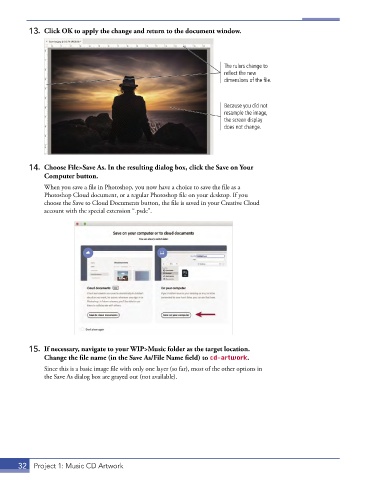
13.  Click OK to apply the change and return to the document window.


                                                                     The rulers change to
                                                                     reflect the new
                                                                     dimensions of the file.


                                                                     Because you did not
                                                                     resample the image,
                                                                     the screen display
                                                                     does not change.


          14.  Choose File>Save As. In the resulting dialog box, click the Save on Your
              Computer button.
               When you save a file in Photoshop, you now have a choice to save the file as a
               Photoshop Cloud document, or a regular Photoshop file on your desktop. If you
               choose the Save to Cloud Documents button, the file is saved in your Creative Cloud
               account with the special extension “.psdc”.


          15.  If necessary, navigate to your WIP>Music folder as the target location.
              Change the file name (in the Save As/File Name field) to cd-artwork.

               Since this is a basic image file with only one layer (so far), most of the other options in
               the Save As dialog box are grayed out (not available).


       32  Project 1: Music CD Artwork

