


Page 27 - Adobe Dream Viewer 2021
P. 27
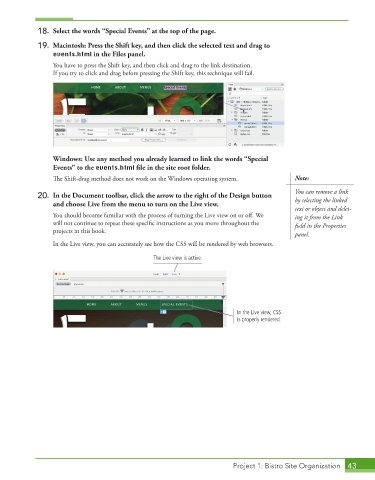
18.  Select the words “Special Events” at the top of the page.

             19.  Macintosh: Press the Shift key, and then click the selected text and drag to
                 events.html in the Files panel.
                 You have to press the Shift key, and then click and drag to the link destination.
                 If you try to click and drag before pressing the Shift key, this technique will fail.


                  Windows: Use any method you already learned to link the words “Special
                 Events” to the events.html file in the site root folder.
                 The Shift-drag method does not work on the Windows operating system.      Note:

                                                                                           You can remove a link
             20.  In the Document toolbar, click the arrow to the right of the Design button   by selecting the linked
                 and choose Live from the menu to turn on the Live view.
                                                                                           text or object and delet-
                 You should become familiar with the process of turning the Live view on or off. We   ing it from the Link
                 will not continue to repeat these specific instructions as you move throughout the   field in the Properties
                 projects in this book.
                                                                                           panel.
                 In the Live view, you can accurately see how the CSS will be rendered by web browsers.
                                                The Live view is active.


                                                                         In the Live view, CSS
                                                                         is properly rendered.


                                                                        Project 1: Bistro Site Organization  43

