


Page 18 - Adobe Dream Viewer 2021
P. 18
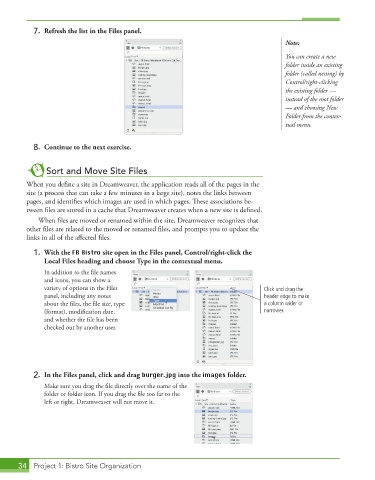
7.  Refresh the list in the Files panel.

                                                                                        Note:
                                                                                        You can create a new
                                                                                        folder inside an existing
                                                                                        folder (called nesting) by
                                                                                        Control/right-clicking
                                                                                        the existing folder —
                                                                                        instead of the root folder
                                                                                        — and choosing New
                                                                                        Folder from the contex-
                                                                                        tual menu.


           8.  Continue to the next exercise.


               Sort and Move Site Files
         When you define a site in Dreamweaver, the application reads all of the pages in the
         site (a process that can take a few minutes in a large site), notes the links between
         pages, and identifies which images are used in which pages. These associations be-
         tween files are stored in a cache that Dreamweaver creates when a new site is defined.
             When files are moved or renamed within the site, Dreamweaver recognizes that
         other files are related to the moved or renamed files, and prompts you to update the
         links in all of the affected files.

           1.  With the FB Bistro site open in the Files panel, Control/right-click the
              Local Files heading and choose Type in the contextual menu.
               In addition to the file names
               and icons, you can show a
               variety of options in the Files                                    Click and drag the
               panel, including any notes                                         header edge to make
               about the files, the file size, type                               a column wider or
               (format), modification date,                                       narrower.
               and whether the file has been
               checked out by another user.


           2.  In the Files panel, click and drag burger.jpg into the images folder.
               Make sure you drag the file directly over the name of the
               folder or folder icon. If you drag the file too far to the
               left or right, Dreamweaver will not move it.


       34  Project 1: Bistro Site Organization

