


Page 24 - CC2017_DW_Look_Inside
P. 24
The HTML Insert Panel in Depth

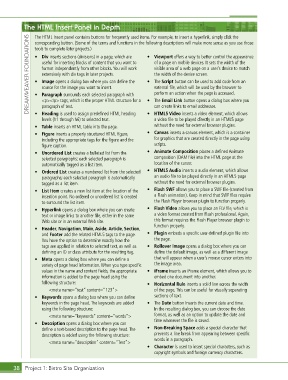
               The HTML Insert panel contains buttons for frequently used items. For example, to insert a hyperlink, simply click the
             DREAMWEAVER FOUNDATIONS  •  Div inserts sections (divisions) in a page, which are   •  Viewport offers a way to better control the appearance
               corresponding button. (Some of the terms and functions in the following descriptions will make more sense as you use those
               tools to complete later projects.)

                  useful for inserting blocks of content that you want to
                                                                 of a page on mobile devices. It sets the width of the
                  format independently from other blocks. You will work
                                                                 visible area of a web page on a user’s device to match
                                                                 the width of the device screen.
                  extensively with div tags in later projects.
               •  Image opens a dialog box where you can define the
                                                              •  The Script button can be used to add code from an
                  source for the image you want to insert.
                                                                 external file, which will be used by the browser to
                                                                 perform an action when the page is accessed.
               •  Paragraph surrounds each selected paragraph with
                  <p></p> tags, which is the proper HTML structure for a
                  paragraph of text.
                                                                 can create links to email addresses.
               •  Heading is used to assign predefined HTML heading
                                                              •  HTML5 Video inserts a video element, which allows
                  levels (h1 through h6) to selected text.    •  The Email Link button opens a dialog box where you
                                                                 a video file to be played directly in an HTML5 page
               •  Table inserts an HTML table into the page.     without the need for external browser plugins.
               •  Figure inserts a properly structured HTML figure,   •  Canvas inserts a canvas element, which is a container
                  including the appropriate tags for the figure and the   for graphics that are created directly in the page using
                  figure caption.                                scripts.
               •  Unordered List creates a bulleted list from the   •  Animate Composition places a defined Animate
                  selected paragraphs; each selected paragraph is   composition (OAM file) into the HTML page at the
                  automatically tagged as a list item.           location of the cursor.
               •  Ordered List creates a numbered list from the selected   •  HTML5 Audio inserts a audio element, which allows
                  paragraphs; each selected paragraph is automatically   an audio file to be played directly in an HTML5 page
                  tagged as a list item.                         without the need for external browser plugins.
               •  List Item creates a new list item at the location of the   •  Flash SWF allows you to place a SWF file (created from
                  insertion point. No ordered or unordered list is created   a Flash animation). Keep in mind that SWF files require
                  to surround the list item.                     the Flash Player browser plugin to function properly.
               •  Hyperlink opens a dialog box where you can create   •  Flash Video allows you to place an FLV file, which is
                  text or image links to another file, either in the same   a video format created from Flash professional. Again,
                  Web site or in an external Web site.           this format requires the Flash Player browser plugin to
                                                                 function properly.
               •  Header, Navigation, Main, Aside, Article, Section,
                  and Footer add the related HTML5 tags to the page.   •  Plugin embeds a specific user-defined plugin file into
                  You have the option to determine exactly how the   the page.
                  tags are applied in relation to selected text, as well as   •  Rollover Image opens a dialog box where you can
                  defining an ID or class attribute for the resulting tag.  define the default image, as well as a different image
               •  Meta opens a dialog box where you can define a   that will appear when a user’s mouse cursor enters into
                  variety of page head information. When you type specific   the image area.
                  values in the name and content fields, the appropriate   •  iFrame inserts an iFrame element, which allows you to
                  information is added to the page head using the   embed one document into another.
                  following structure:                        •  Horizontal Rule inserts a solid line across the width
                      <meta name=”test” content=”123”>           of the page. This can be useful for visually separating
               •  Keywords opens a dialog box where you can define   sections of text.
                  keywords in the page head. The keywords are added   •  The Date button inserts the current date and time.
                  using the following structure:                 In the resulting dialog box, you can choose the date
                      <meta name=”keywords” content=”words”>     format, as well as an option to update the date and
                                                                 time whenever the file is saved.
               •  Description opens a dialog box where you can
                  define a text-based description to the page head. The   •  Non-Breaking Space adds a special character that
                  description is added using the following structure:  prevents a line break from appearing between specific
                      <meta name=”description” content=”Text”>   words in a paragraph.
                                                              •  Character is used to insert special characters, such as
                                                                 copyright symbols and foreign currency characters.


       38 Project 1: Bistro Site Organization

