


Page 15 - Adobe Photoshop and Dreamviewer 2021
P. 15
STAGE 1 / Compositing Images and Artwork

            There are two primary types of artwork:                                        Note:

               •  Vector graphics are composed of mathematical descriptions of a series of   Why is this informa-
                  lines and geometric shapes. These files are commonly created in illustration   tion important? The ad
                  (“drawing”) applications like Adobe Illustrator. Vector graphics are resolution   you’re building in this
                  independent; they can be freely scaled, and are automatically output at the   project will be placed in
                  resolution of the output device.                                         print magazines, so you

               •  Raster images are made up of a grid of individual pixels (rasters or bits) in   have to build the new
                  rows and columns, called a bitmap. Line art, also called a bitmap image, is   file with the appropriate
                  actually a type of raster image that includes only black and white pixels. Raster   settings for commercial
                  files are resolution dependent — their resolution is determined when you   printing. When the
                  scan, photograph, or create the file.                                    composition is finished,
                                                                                           you will convert it to a
               Photoshop is what some people call a “paint” program — it is primarily used to   resolution and format
            create and manipulate pixel-based, or raster, images. Raster-image quality depends   that is appropriate for
            directly on the resolution. When you create files in Photoshop, you need to understand   digital media display.
            the resolution requirements from the very beginning of the process.
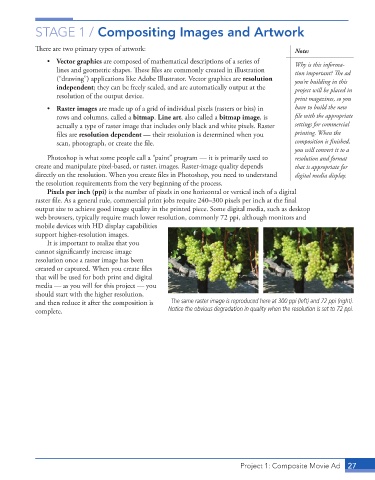
               Pixels per inch (ppi) is the number of pixels in one horizontal or vertical inch of a digital
            raster file. As a general rule, commercial print jobs require 240–300 pixels per inch at the final
            output size to achieve good image quality in the printed piece. Some digital media, such as desktop
            web browsers, typically require much lower resolution, commonly 72 ppi, although monitors and
            mobile devices with HD display capabilities
            support higher-resolution images.
               It is important to realize that you
            cannot significantly increase image
            resolution once a raster image has been
            created or captured. When you create files
            that will be used for both print and digital
            media — as you will for this project — you
            should start with the higher resolution,
            and then reduce it after the composition is   The same raster image is reproduced here at 300 ppi (left) and 72 ppi (right).
            complete.                               Notice the obvious degradation in quality when the resolution is set to 72 ppi.


                                                                          Project 1: Composite Movie Ad    27

