


Page 14 - Adobe Photoshop and Dreamviewer 2021
P. 14
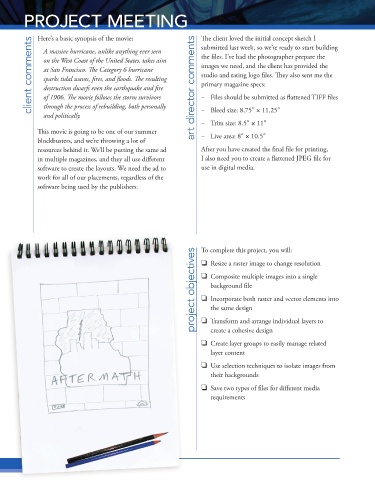
PROJECT MEETING                                       The client loved the initial concept sketch I


            Here’s a basic synopsis of the movie:
           client comments  A massive hurricane, unlike anything ever seen   art director comments  the files. I’ve had the photographer prepare the
                                                              submitted last week, so we’re ready to start building

              on the West Coast of the United States, takes aim
                                                              images we need, and the client has provided the
              at San Francisco. The Category 6 hurricane

                                                              studio and rating logo files. They also sent me the


              sparks tidal waves, fires, and fl oods. The resulting
                                                              primary magazine specs:

              destruction dwarfs even the earthquake and fire


              of 1906. The movie follows the storm survivors

              through the process of rebuilding, both personally
                                                              –   Bleed size: 8.75″ 1 11.25″
              and politically.                                –   Files should be submitted as flattened TIFF files
            This movie is going to be one of our summer       –   Trim size: 8.5″ 1 11″

            blockbusters, and we’re throwing a lot of         –   Live area: 8″ 1 10.5″


            resources behind it. We’ll be putting the same ad   After you have created the final file for printing,


            in multiple magazines, and they all use different   I also need you to create a flattened JPEG file for
            software to create the layouts. We need the ad to   use in digital media.
            work for all of our placements, regardless of the
            software being used by the publishers.


                                                            project objectives project objectives project objectives  To complete this project, you will:
                                                                 Resize a raster image to change resolution

                                                                 Composite multiple images into a single
                                                                 background file

                                                                 Incorporate both raster and vector elements into
                                                                 the same design
                                                                 Transform and arrange individual layers to
                                                                 create a cohesive design

                                                                 Create layer groups to easily manage related
                                                                 layer content

                                                                 Use selection techniques to isolate images from
                                                                 their backgrounds


                                                                 Save two types of files for different media
                                                                 requirements


           Pr oject 1:  Composite Movie Ad
           Project 1: Composite Movie Ad

