


Page 14 - CC2019_PS_Look_Inside
P. 14
PROJECT MEETING                                       Th  e band loved the initial concept sketch I


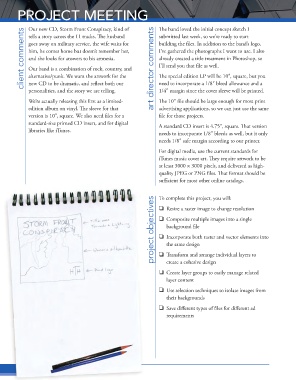
                 Our new CD, Storm Front Conspiracy, kind of
               client comments  goes away on military service, the wife waits for   art director comments  building the fi les. In addition to the band’s logo,
                 tells a story across the 11 tracks. Th  e husband
                                                                   submitted last week, so we’re ready to start
                 him, he comes home but doesn’t remember her,
                                                                   I’ve gathered the photographs I want to use. I also
                 and she looks for answers to his amnesia.
                                                                   already created a title treatment in Photoshop, so
                                                                   I’ll send you that fi le as well.
                 Our band is a combination of rock, country, and
                 alternative/punk. We want the artwork for the
                                                                   need to incorporate a 1/8″ bleed allowance and a
                 new CD to be dramatic, and refl ect both our
                                                                   1/4″ margin since the cover sleeve will be printed.
                 personalities, and the story we are telling.      Th  e special edition LP will be 10″, square, but you
                 We’re actually releasing this fi rst as a limited-  Th  e 10″ fi le should be large enough for most print
                 edition album on vinyl. Th  e sleeve for that     advertising applications, so we can just use the same
                 version is 10″, square. We also need fi les for a   fi le for those projects.
                 standard-size printed CD insert, and for digital   A standard CD insert is 4.75″, square. Th  at version
                 libraries like iTunes.
                                                                   needs to incorporate 1/8″ bleeds as well, but it only
                                                                   needs 1/8″ safe margin according to our printer.

                                                                   For digital media, use the current standards for
                                                                   iTunes music cover art. Th  ey require artwork to be
                                                                   at least 3000 1 3000 pixels, and delivered as high-
                                                                   quality JPEG or PNG fi les. Th  at format should be
                                                                   suffi  cient for most other online catalogs.


                                                                   To complete this project, you will:
                                                                 project objectives project objectives project objectives    Resize a raster image to change resolution


                                                                     Composite multiple images into a single
                                                                      background fi le
                                                                     Incorporate both raster and vector elements into
                                                                      the same design
                                                                     Transform and arrange individual layers to
                                                                      create a cohesive design

                                                                     Create layer groups to easily manage related
                                                                      layer content

                                                                     Use selection techniques to isolate images from
                                                                      their backgrounds
                                                                     Save diff erent types of fi les for diff erent ad
                                                                      requirements


                Pr
                  Project 1: Music CD Artworkoject 1: Music CD Artwork

