


Page 9 - CC2019_PS_Look_Inside
P. 9
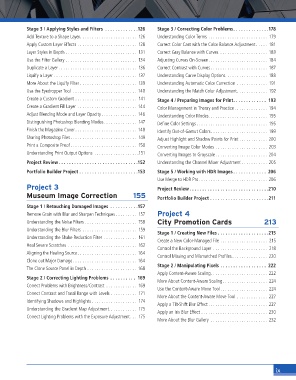
Stage 3 / Applying Styles and Filters  . . . . . . . . . . . . .126  Stage 3 / Correcting Color Problems. . . . . . . . . . . . . .178
                 Add Texture to a Shape Layer. . . . . . . . . . . . . . . . . . . . . . . .  126  Understanding Color Terms  . . . . . . . . . . . . . . . . . . . . . . . . .  179
                 Apply Custom Layer Effects  . . . . . . . . . . . . . . . . . . . . . . . . .  128  Correct Color Cast with the Color Balance Adjustment . . . . .  181
                 Layer Styles in Depth  . . . . . . . . . . . . . . . . . . . . . . . . . . . . . .  131  Correct Gray Balance with Curves  . . . . . . . . . . . . . . . . . . . . 183
                 Use the Filter Gallery  . . . . . . . . . . . . . . . . . . . . . . . . . . . . . .  134  Adjusting Curves On-Screen. . . . . . . . . . . . . . . . . . . . . . . . . 184
                 Duplicate a Layer . . . . . . . . . . . . . . . . . . . . . . . . . . . . . . . . .  136  Correct Contrast with Curves . . . . . . . . . . . . . . . . . . . . . . . .  187
                 Liquify a Layer  . . . . . . . . . . . . . . . . . . . . . . . . . . . . . . . . . . .  137  Understanding Curve Display Options. . . . . . . . . . . . . . . . . . 188
                 More About the Liquify Filter  . . . . . . . . . . . . . . . . . . . . . . . .  139  Understanding Automatic Color Correction  . . . . . . . . . . . . .  191
                 Use the Eyedropper Tool  . . . . . . . . . . . . . . . . . . . . . . . . . . . 140  Understanding the Match Color Adjustment. . . . . . . . . . . . .  192
                 Create a Custom Gradient . . . . . . . . . . . . . . . . . . . . . . . . . .  141  Stage 4 / Preparing Images for Print. . . . . . . . . . . . .  193
                 Create a Gradient Fill Layer  . . . . . . . . . . . . . . . . . . . . . . . . . 144  Color Management in Theory and Practice . . . . . . . . . . . . . . 194
                 Adjust Blending Mode and Layer Opacity . . . . . . . . . . . . . . . 146  Understanding Color Modes. . . . . . . . . . . . . . . . . . . . . . . . .  195
                 Distinguishing Photoshop Blending Modes. . . . . . . . . . . . . .  147  Defi ne Color Settings . . . . . . . . . . . . . . . . . . . . . . . . . . . . . .  195
                 Finish the Magazine Cover . . . . . . . . . . . . . . . . . . . . . . . . . . 148  Identify Out-of-Gamut Colors. . . . . . . . . . . . . . . . . . . . . . . . 199
                 Sharing Photoshop Files. . . . . . . . . . . . . . . . . . . . . . . . . . . .  149  Adjust Highlight and Shadow Points for Print . . . . . . . . . . . . 200
                 Print a Composite Proof . . . . . . . . . . . . . . . . . . . . . . . . . . . .  150  Converting Image Color Modes  . . . . . . . . . . . . . . . . . . . . . . 203
                 Understanding Print Output Options  . . . . . . . . . . . . . . . . . . .151  Converting Images to Grayscale . . . . . . . . . . . . . . . . . . . . . . 204
                 Project Review . . . . . . . . . . . . . . . . . . . . . . . . . . . . . . .152  Understanding the Channel Mixer Adjustment  . . . . . . . . . . . 205

                 Portfolio Builder Project  . . . . . . . . . . . . . . . . . . . . . . .153  Stage 5 / Working with HDR Images . . . . . . . . . . . . .  206
                                                                   Use Merge to HDR Pro. . . . . . . . . . . . . . . . . . . . . . . . . . . . . 206
                 Project 3                                         Project Review . . . . . . . . . . . . . . . . . . . . . . . . . . . . . . .210
                 Museum Image Correction                 155       Portfolio Builder Project  . . . . . . . . . . . . . . . . . . . . . . .211

                 Stage 1 / Retouching Damaged Images  . . . . . . . . . . .157
                 Remove Grain with Blur and Sharpen Techniques . . . . . . . . .  157  Project 4
                 Understanding the Noise Filters . . . . . . . . . . . . . . . . . . . . . .  158  City Promotion Cards   213
                 Understanding the Blur Filters  . . . . . . . . . . . . . . . . . . . . . . .  159
                                                                   Stage 1 / Creating New Files . . . . . . . . . . . . . . . . . . . .215
                 Understanding the Shake Reduction Filter  . . . . . . . . . . . . . .  161
                                                                   Create a New Color-Managed File  . . . . . . . . . . . . . . . . . . . .  215
                 Heal Severe Scratches  . . . . . . . . . . . . . . . . . . . . . . . . . . . . .  162
                                                                   Control the Background Layer  . . . . . . . . . . . . . . . . . . . . . . .  218
                 Aligning the Healing Source . . . . . . . . . . . . . . . . . . . . . . . . . 164
                                                                   Control Missing and Mismatched Profi les . . . . . . . . . . . . . . . 220
                 Clone out Major Damage . . . . . . . . . . . . . . . . . . . . . . . . . . . 164
                                                                   Stage 2 / Manipulating Pixels  . . . . . . . . . . . . . . . . . .  222
                 The Clone Source Panel in Depth  . . . . . . . . . . . . . . . . . . . . . 168
                                                                   Apply Content-Aware Scaling. . . . . . . . . . . . . . . . . . . . . . . . 222
                 Stage 2 / Correcting Lighting Problems  . . . . . . . . . .  169
                                                                   More About Content-Aware Scaling. . . . . . . . . . . . . . . . . . . 224
                 Correct Problems with Brightness/Contrast  . . . . . . . . . . . . .  169
                                                                   Use the Content-Aware Move Tool. . . . . . . . . . . . . . . . . . . . 224
                 Correct Contrast and Tonal Range with Levels  . . . . . . . . . . .  171
                                                                   More About the Content-Aware Move Tool  . . . . . . . . . . . . . 227
                 Identifying Shadows and Highlights . . . . . . . . . . . . . . . . . . .  174
                                                                   Apply a Tilt-Shift Blur Effect . . . . . . . . . . . . . . . . . . . . . . . . . 227
                 Understanding the Gradient Map Adjustment. . . . . . . . . . . .  175
                                                                   Apply an Iris Blur Effect  . . . . . . . . . . . . . . . . . . . . . . . . . . . . 230
                 Correct Lighting Problems with the Exposure Adjustment. . .  175
                                                                   More About the Blur Gallery  . . . . . . . . . . . . . . . . . . . . . . . . 232


                                                                                                                ix

