


Page 11 - CC2019_PS_Look_Inside
P. 11
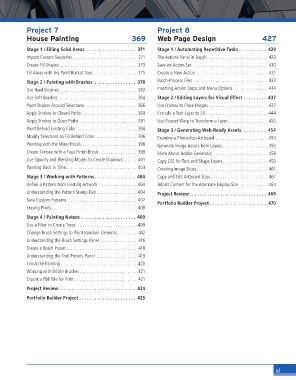
Project 7                                         Project 8
                 House Painting                          369       Web Page Design                         427
                 Stage 1 / Filling Solid Areas. . . . . . . . . . . . . . . . . . . .  371  Stage 1 / Automating Repetitive Tasks. . . . . . . . . . .  429
                 Import Custom Swatches . . . . . . . . . . . . . . . . . . . . . . . . . . .  371  The Actions Panel in Depth  . . . . . . . . . . . . . . . . . . . . . . . . . 429
                 Create Fill Shapes. . . . . . . . . . . . . . . . . . . . . . . . . . . . . . . . . 373  Save an Action Set   . . . . . . . . . . . . . . . . . . . . . . . . . . . . . . . 430
                 Fill Areas with the Paint Bucket Tool. . . . . . . . . . . . . . . . . . .  375  Create a New Action  . . . . . . . . . . . . . . . . . . . . . . . . . . . . . .  431
                 Stage 2 / Painting with Brushes  . . . . . . . . . . . . . . . .  378  Batch-Process Files  . . . . . . . . . . . . . . . . . . . . . . . . . . . . . . . 433
                 Use Hard Brushes. . . . . . . . . . . . . . . . . . . . . . . . . . . . . . . . . 382  Inserting Action Stops and Menu Options. . . . . . . . . . . . . . . 434
                 Use Soft Brushes  . . . . . . . . . . . . . . . . . . . . . . . . . . . . . . . . . 384  Stage 2 / Editing Layers for Visual Effect  . . . . . . . . .  437
                 Paint Strokes Around Selections. . . . . . . . . . . . . . . . . . . . . . 386  Use Frames to Place Images. . . . . . . . . . . . . . . . . . . . . . . . . 437
                 Apply Strokes to Closed Paths  . . . . . . . . . . . . . . . . . . . . . . . 389  Extrude a Text Layer to 3D . . . . . . . . . . . . . . . . . . . . . . . . . . 444
                 Apply Strokes to Open Paths  . . . . . . . . . . . . . . . . . . . . . . . . 391  Use Puppet Warp to Transform a Layer. . . . . . . . . . . . . . . . . 450
                 Paint Behind Existing Color  . . . . . . . . . . . . . . . . . . . . . . . . . 394  Stage 3 / Generating Web-Ready Assets. . . . . . . . . .  454
                 Modify Selections to Fill Behind Color. . . . . . . . . . . . . . . . . . 396  Examine a Photoshop Artboard  . . . . . . . . . . . . . . . . . . . . . . 454
                 Painting with the Mixer Brush  . . . . . . . . . . . . . . . . . . . . . . . 398  Generate Image Assets from Layers . . . . . . . . . . . . . . . . . . . 456
                 Create Texture with a Faux Finish Brush . . . . . . . . . . . . . . . . 399  More About Adobe Generator  . . . . . . . . . . . . . . . . . . . . . . . 458
                 Use Opacity and Blending Modes to Create Shadows. . . . . . 401  Copy CSS for Text and Shape Layers. . . . . . . . . . . . . . . . . . . 459
                 Painting Back in Time. . . . . . . . . . . . . . . . . . . . . . . . . . . . . . 403  Creating Image Slices. . . . . . . . . . . . . . . . . . . . . . . . . . . . . . 461
                 Stage 3 / Working with Patterns . . . . . . . . . . . . . . . .  404  Copy and Edit Artboard Sizes . . . . . . . . . . . . . . . . . . . . . . . . 461
                 Defi ne a Pattern from Existing Artwork  . . . . . . . . . . . . . . . . 404  Adjust Content for the Alternate Display Size  . . . . . . . . . . . . 464
                 Understanding the Pattern Stamp Tool. . . . . . . . . . . . . . . . . 404  Project Review . . . . . . . . . . . . . . . . . . . . . . . . . . . . . .  469
                 Save Custom Patterns  . . . . . . . . . . . . . . . . . . . . . . . . . . . . . 407
                                                                   Portfolio Builder Project  . . . . . . . . . . . . . . . . . . . . . . .470
                 Erasing Pixels. . . . . . . . . . . . . . . . . . . . . . . . . . . . . . . . . . . . 408
                 Stage 4 / Painting Nature  . . . . . . . . . . . . . . . . . . . . .  409
                 Use a Filter to Create Trees   . . . . . . . . . . . . . . . . . . . . . . . . . 409
                 Change Brush Settings to Paint Random Elements  . . . . . . . .  412
                 Understanding the Brush Settings Panel. . . . . . . . . . . . . . . .  416
                 Create a Brush Preset. . . . . . . . . . . . . . . . . . . . . . . . . . . . . .  418
                 Understanding the Tool Presets Panel  . . . . . . . . . . . . . . . . .  419
                 Finish the Painting . . . . . . . . . . . . . . . . . . . . . . . . . . . . . . . . 420
                 Working with Bristle Brushes  . . . . . . . . . . . . . . . . . . . . . . . .  421
                 Export a PDF File for Print  . . . . . . . . . . . . . . . . . . . . . . . . . .  421

                 Project Review . . . . . . . . . . . . . . . . . . . . . . . . . . . . . .  424
                 Portfolio Builder Project  . . . . . . . . . . . . . . . . . . . . . .  425


                                                                                                                xi

