


Page 71 - CS6_ID_Look_Inside
P. 71
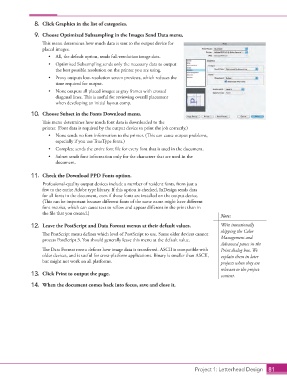
8.  Click Graphics in the list of categories.

                    9.  Choose Optimized Subsampling in the Images Send Data menu.
                        This menu determines how much data is sent to the output device for
                        placed images.
                          •  All, the default option, sends full-resolution image data.
                          •  Optimized Subsampling sends only the necessary data to output
                             the best possible resolution on the printer you are using.
                          •  Proxy outputs low-resolution screen previews, which reduces the
                             time required for output.
                          •  None outputs all placed images as gray frames with crossed
                             diagonal lines. This is useful for reviewing overall placement
                             when developing an initial layout comp.

                   10.  Choose Subset in the Fonts Download menu.
                        This menu determines how much font data is downloaded to the
                        printer. (Font data is required by the output device to print the job correctly.)
                          •  None sends no font information to the printer. (This can cause output problems,
                             especially if you use TrueType fonts.)
                          •  Complete sends the entire font file for every font that is used in the document.
                          •  Subset sends font information only for the characters that are used in the
                             document.

                   11.  Check the Download PPD Fonts option.

                        Professional-quality output devices include a number of resident fonts, from just a
                        few to the entire Adobe type library. If this option is checked, InDesign sends data
                        for all fonts in the document, even if those fonts are installed on the output device.
                        (This can be important because different fonts of the same name might have different
                        font metrics, which can cause text to reflow and appear different in the print than in
                        the file that you created.)
                                                                                                 Note:
                   12.  Leave the PostScript and Data Format menus at their default values.      We’re intentionally
                                                                                                 skipping the Color
                        The PostScript menu defines which level of PostScript to use. Some older devices cannot
                        process PostScript 3. You should generally leave this menu at the default value.  Management and
                                                                                                 Advanced panes in the
                        The Data Format menu defines how image data is transferred. ASCII is compatible with   Print dialog box. We
                        older devices, and is useful for cross-platform applications. Binary is smaller than ASCII,   explain them in later
                        but might not work on all platforms.                                     projects when they are

                                                                                                 relevant to the project
                   13.  Click Print to output the page.                                          content.
                   14.  When the document comes back into focus, save and close it.


                                                                                      Project 1: Letterhead Design  81

