


Page 14 - CC 2019 ID Look Inside
P. 14
PROJECT MEETING                                       I’ve looked over the client’s images, and I think we


                 Until now, we’ve just added the logo and address
               client comments  sent out correspondence. Th  e business has been   art director comments  need to create the necessary graphics directly on the
                 at the top of a Word document whenever we
                                                                   should use all of them. InDesign has everything you
                 growing lately, and we want something more
                                                                   page layout.
                 professional.
                                                                   I already reviewed the size of the photos. Th  ey
                                                                   should be fi ne to place into the layout as they are;
                 I sent you our logo, which was created in Adobe
                 Illustrator. I also selected a bunch of images
                 that represent the diff erent stores at the market;
                                                                   I also copied the client’s contact info into a fi le
                 I want to include at least a few of those on the   you won’t need to manipulate the actual image fi les.
                                                                   for you. I noticed they have a tagline — Grand
                 letterhead.                                       Cuisine. Grand Culture. Grand Central. — fairly
                 Can you get our address information from our      prominent throughout the site, so I think we should
                 website, or do we need to send that to you as a   include that in the print design work, as well.
                 separate document?
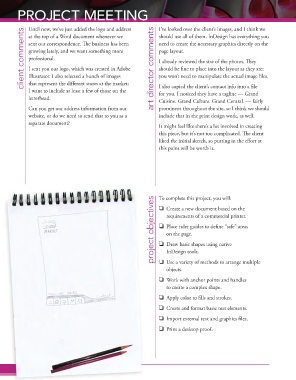
                                                                   It might feel like there’s a lot involved in creating
                                                                   this piece, but it’s not too complicated. Th  e client
                                                                   liked the initial sketch, so putting in the eff ort at
                                                                   this point will be worth it.


                                                                 project objectives project objectives project objectives  To complete this project, you will:
                                                                     Create a new document based on the
                                                                      requirements of a commercial printer.

                                                                     Place ruler guides to defi ne “safe” areas
                                                                      on the page.

                                                                     Draw basic shapes using native
                                                                      InDesign tools.
                                                                     Use a variety of methods to arrange multiple
                                                                      objects.
                                                                     Work with anchor points and handles
                                                                      to create a complex shape.

                                                                     Apply color to fi lls and strokes.
                                                                     Create and format basic text elements.

                                                                     Import external text and graphics fi les.
                                                                     Print a desktop proof.


                  Project 1: Letterhead Designoject 1: Letterhead Design
                Pr

