


Page 74 - CC2017_WD_Look_Inside
P. 74
Project Summary


          Making selections is arguably the most important skill you will learn to do in Photoshop. Selections
          are so important that Photoshop dedicates an entire menu to the process.
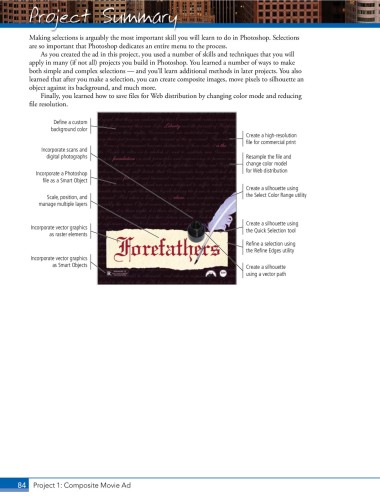
              As you created the ad in this project, you used a number of skills and techniques that you will
          apply in many (if not all) projects you build in Photoshop. You learned a number of ways to make
          both simple and complex selections — and you’ll learn additional methods in later projects. You also
          learned that after you make a selection, you can create composite images, move pixels to silhouette an
          object against its background, and much more.
              Finally, you learned how to save files for Web distribution by changing color mode and reducing
          file resolution.

                  Define a custom
                 background color
                                                                              Create a high-resolution
                                                                              file for commercial print
              Incorporate scans and
                digital photographs                                           Resample the file and
                                                                              change color model
                                                                              for Web distribution
            Incorporate a Photoshop
              file as a Smart Object
                                                                              Create a silhouette using
                Scale, position, and                                          the Select Color Range utility
             manage multiple layers


                                                                              Create a silhouette using
           Incorporate vector graphics                                        the Quick Selection tool
                as raster elements
                                                                              Refine a selection using
                                                                              the Refine Edges utility
           Incorporate vector graphics
                 as Smart Objects                                             Create a silhouette
                                                                              using a vector path


       84 Project 1: Composite Movie Ad

