


Page 6 - Web Combo 2022
P. 6
GETTING STARTED
Prerequisites Account and Book Registration
To use The Professional Portfolio Series, you should have To access the online resources that accompany this book,
a basic understanding of foundational computer skills, you must create an account at www.againsttheclock.com:
including:
If you purchased an ebook:
How to use your mouse to point and click.
You already have an account, and the book you purchased
How to drag items around the screen. is already registered to the email address that you used when
you purchased the ebook.
How to resize and arrange windows on your desktop
to maximize your available space.
If you purchased a print book:
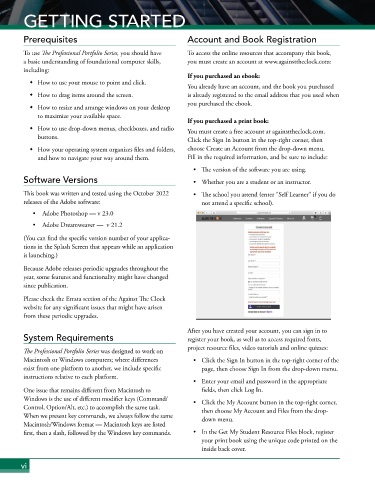
How to use drop-down menus, checkboxes, and radio You must create a free account at againsttheclock.com.
buttons. Click the Sign In button in the top-right corner, then
How your operating system organizes files and folders, choose Create an Account from the drop-down menu.
and how to navigate your way around them. Fill in the required information, and be sure to include:
• The version of the software you are using.
Software Versions • Whether you are a student or an instructor.
This book was written and tested using the October 2022 • The school you attend (enter “Self Learner” if you do
releases of the Adobe software: not attend a specific school).
• Adobe Photoshop — v 23.0
• Adobe Dreamweaver — v 21.2
(You can find the specific version number of your applica-
tions in the Splash Screen that appears while an application
is launching.)
Because Adobe releases periodic upgrades throughout the
year, some features and functionality might have changed
since publication.
Please check the Errata section of the Against The Clock
website for any significant issues that might have arisen
from these periodic upgrades.
After you have created your account, you can sign in to
System Requirements register your book, as well as to access required fonts,
project resource files, video tutorials and online quizzes:
The Professional Portfolio Series was designed to work on
Macintosh or Windows computers; where differences • Click the Sign In button in the top-right corner of the
exist from one platform to another, we include specific page, then choose Sign In from the drop-down menu.
instructions relative to each platform.
• Enter your email and password in the appropriate
One issue that remains different from Macintosh to fields, then click Log In.
Windows is the use of different modifier keys (Command/ • Click the My Account button in the top-right corner,
Control, Option/Alt, etc.) to accomplish the same task. then choose My Account and Files from the drop-
When we present key commands, we always follow the same down menu.
Macintosh/Windows format — Macintosh keys are listed
first, then a slash, followed by the Windows key commands. • In the Get My Student Resource Files block, register
your print book using the unique code printed on the
inside back cover.
vi

