


Page 11 - CC2018_PS_Look_Inside
P. 11
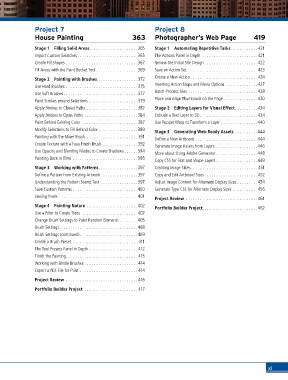
Project 7                                         Project 8
               House Painting                           363      Photographer’s Web Page                  419

               Stage 1  Filling Solid Areas.....................365  Stage 1  Automating Repetitive Tasks ........... 421
               Import Custom Swatches ..........................365  The Actions Panel in Depth  ........................ 421
               Create Fill Shapes ...............................367  Review the Initial Site Design ....................... 422
               Fill Areas with the Paint Bucket Tool ..................369  Save an Action Set  ..............................423

               Stage 2  Painting with Brushes ................. 372  Create a New Action ............................. 424
               Use Hard Brushes ............................... 375  Inserting Action Stops and Menu Options .............. 427
                                                                 Batch-Process Files .............................. 428
               Use Soft Brushes................................ 377
                                                                 Place and Align Thumbnails on the Page ...............430
               Paint Strokes around Selections ..................... 379
               Apply Strokes to Closed Paths ......................382  Stage 2  Editing Layers for Visual Effect..........434
               Apply Strokes to Open Paths .......................384  Extrude a Text Layer to 3D .........................434
               Paint Behind Existing Color ........................387  Use Puppet Warp to Transform a Layer ................440
               Modify Selections to Fill Behind Color .................389  Stage 3  Generating Web-Ready Assets ..........444
               Painting with the Mixer Brush....................... 391  Define a New Artboard ...........................444
               Create Texture with a Faux Finish Brush ...............392  Generate Image Assets from Layers ..................446
               Use Opacity and Blending Modes to Create Shadows......394
                                                                 More about Using Adobe Generator ..................448
               Painting Back in Time ............................396  Copy CSS for Text and Shape Layers ..................449
               Stage 3  Working with Patterns.................397  Creating Image Slices............................. 451
               Define a Pattern from Existing Artwork................397  Copy and Edit Artboard Sizes ....................... 452
               Understanding the Pattern Stamp Tool ................397  Adjust Image Content for Alternate Display Sizes .........454
               Save Custom Patterns ............................400  Generate Type CSS for Alternate Display Sizes ...........456
               Erasing Pixels ..................................401  Project Review ............................... 461
               Stage 4  Painting Nature ......................402  Portfolio Builder Project........................462
               Use a Filter to Create Trees  ........................402
               Change Brush Settings to Paint Random Elements ........405
               Brush Settings..................................408
               Brush Settings (continued) .........................409
               Create a Brush Preset ............................ 411
               The Tool Presets Panel in Depth ..................... 412
               Finish the Painting............................... 413
               Working with Bristle Brushes ....................... 414
               Export a PDF File for Print ......................... 414
               Project Review ............................... 416

               Portfolio Builder Project........................ 417


                                                                                                                xi

