


Page 10 - CC2018_PS_Look_Inside
P. 10
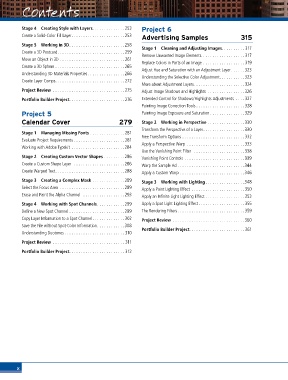
Contents
          Contents

          Stage 4  Creating Style with Layers..............253  Project 6
          Create a Solid-Color Fill Layer.......................253  Advertising Samples            315

          Stage 5  Working in 3D........................258  Stage 1  Cleaning and Adjusting Images.......... 317
          Create a 3D Postcard............................. 259
                                                           Remove Unwanted Image Elements .................. 317
          Move an Object in 3D ............................ 261
                                                           Replace Colors in Parts of an Image .................. 319
          Create a 3D Sphere . . . . . . . . . . . . . . . . . . . . . . . . . . . . . .265
                                                           Adjust Hue and Saturation with an Adjustment Layer ......323
          Understanding 3D Materials Properties ................266  Understanding the Selective Color Adjustment...........323
          Create Layer Comps.............................. 272
                                                           More about Adjustment Layers...................... 324
          Project Review ............................... 275  Adjust Image Shadows and Highlights  ................ 326

          Portfolio Builder Project........................ 276  Extended Control for Shadows/Highlights Adjustments .... 327
                                                           Painting Image Correction Tools ..................... 328
          Project 5                                        Painting Image Exposure and Saturation ...............329
          Calendar Cover                          279      Stage 2  Working in Perspective ................330

                                                           Transform the Perspective of a Layer..................330
          Stage 1  Managing Missing Fonts ............... 281
          Evaluate Project Requirements ...................... 281  Free Transform Options ........................... 332
          Working with Adobe Typekit .......................284  Apply a Perspective Warp .........................333
                                                           Use the Vanishing Point Filter  ......................338
          Stage 2  Creating Custom Vector Shapes .........286  Vanishing Point Controls ..........................339
          Create a Custom Shape Layer  ......................286  Warp the Sample Ad .............................344
          Create Warped Text..............................288  Apply a Custom Warp ............................346

          Stage 3  Creating a Complex Mask ..............289  Stage 3  Working with Lighting .................348
          Select the Focus Area ............................289  Apply a Point Lighting Effect .......................350
          Erase and Paint the Alpha Channel  ..................293  Apply an Infinite Light Lighting Effect ................. 353

          Stage 4  Working with Spot Channels............299  Apply a Spot Light Lighting Effect.................... 355
          Define a New Spot Channel ........................299  The Rendering Filters............................. 359
          Copy Layer Information to a Spot Channel..............302  Project Review ...............................360
          Save the File without Spot-Color Information............308
                                                           Portfolio Builder Project........................ 361
          Understanding Duotones .......................... 310

          Project Review ............................... 311
          Portfolio Builder Project........................ 312


        x

