


Page 33 - CC2017_PS_Look_Inside
P. 33
8.  Choose Edit>Copy.
                   The standard Cut, Copy, and Paste options are available in Photoshop, just as they are
                   in most applications. Whatever you have selected will be copied to the Clipboard, and
                   whatever is in the Clipboard will be pasted.

                9.  Click the Close button on the Skyline.jpg document tab to close the file.
                   When asked, click Don’t Save.


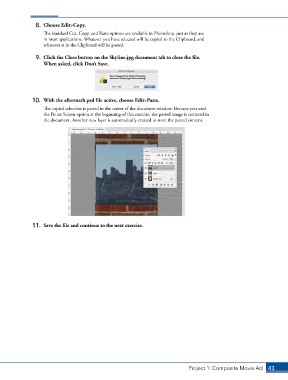
               10.  With the aftermath.psd file active, choose Edit>Paste.
                   The copied selection is pasted in the center of the document window. Because you used
                   the Fit on Screen option at the beginning of this exercise, the pasted image is centered in
                   the document. Another new layer is automatically created to store the pasted content.


               11.  Save the file and continue to the next exercise.


                                                                               Project 1: Composite Movie Ad    43

