


Page 9 - Adobe Photoshop 2022
P. 9
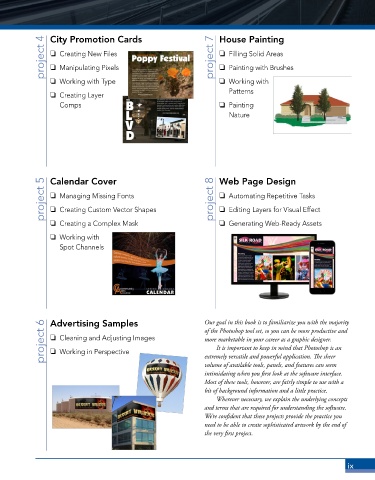
project 4  City Promotion Cards                     project 7  House Painting
                o  Creating New Files
                                                                    o  Filling Solid Areas
                o  Manipulating Pixels
                                                                    o  Painting with Brushes
                o  Working with Type                                o  Working with
                                                                       Patterns
                o  Creating Layer
                   Comps                                            o  Painting
                                                                       Nature


              project 5  Calendar Cover                           project 8  Web Page Design
                                                                    o  Automating Repetitive Tasks
                o  Managing Missing Fonts
                                                                    o  Editing Layers for Visual Effect
                o  Creating Custom Vector Shapes
                o  Creating a Complex Mask                          o  Generating Web-Ready Assets
                o  Working with
                   Spot Channels


              project 6  Advertising Samples                   Our goal in this book is to familiar ize you with the majority
                                                               of the Photoshop tool set, so you can be more productive and
                o  Cleaning and Adjusting Images
                                                               more marketable in your career as a graphic designer.
                                                                   It is important to keep in mind that Photoshop is an
                o  Working in Perspective
                                                               extremely versatile and powerful application. The sheer
                                                               volume of available tools, panels, and features can seem
                                                               intimidating when you first look at the software interface.
                                                               Most of these tools, however, are fairly simple to use with a
                                                               bit of background information and a little practice.
                                                                   Wherever necessary, we explain the underlying concepts
                                                               and terms that are required for understanding the software.
                                                               We’re confident that these projects provide the practice you
                                                               need to be able to create sophisticated artwork by the end of
                                                               the very first project.


                                                                                                           ix

