


Page 56 - Adobe Photoshop 2022
P. 56
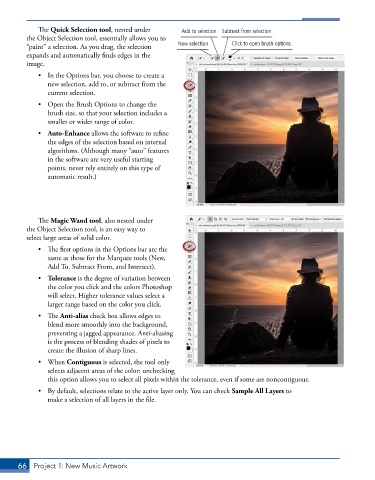
The Quick Selection tool, nested under     Add to selection Subtract from selection
         the Object Selection tool, essentially allows you to
         “paint” a selection. As you drag, the selection   New selection  Click to open brush options.
         expands and automatically finds edges in the
         image.

             •  In the Options bar, you choose to create a
                new selection, add to, or subtract from the
                current selection.
             •  Open the Brush Options to change the
                brush size, so that your selection includes a
                smaller or wider range of color.
             •  Auto-Enhance allows the software to refine
                the edges of the selection based on internal
                algorithms. (Although many “auto” features
                in the software are very useful starting
                points, never rely entirely on this type of
                automatic result.)


             The Magic Wand tool, also nested under
         the Object Selection tool, is an easy way to
         select large areas of solid color.

             •  The first options in the Options bar are the
                same as those for the Marquee tools (New,
                Add To, Subtract From, and Intersect).
             •  Tolerance is the degree of variation between
                the color you click and the colors Photoshop
                will select. Higher tolerance values select a
                larger range based on the color you click.
             •  The Anti-alias check box allows edges to
                blend more smoothly into the background,
                preventing a jagged appearance. Anti-aliasing
                is the process of blending shades of pixels to
                create the illusion of sharp lines.
             •  When Contiguous is selected, the tool only
                selects adjacent areas of the color; unchecking
                this option allows you to select all pixels within the tolerance, even if some are noncontiguous.

             •  By default, selections relate to the active layer only. You can check Sample All Layers to
                make a selection of all layers in the file.


       66  Project 1: New Music Artwork

