


Page 19 - Adobe Photoshop 2022
P. 19
1.  Expand the Music_PS22_RF.zip archive in your WIP folder (Macintosh)
                 or copy the archive contents into your WIP folder (Windows).
                 This results in a folder named Music, which contains all of the files you need for this
                 project. You should also use this folder to save the files you create in this project.
                                                                                           Note:
                 If necessary, refer to Page 1 of the Interface chapter for specific information on
                 expanding or accessing the required resource files.                       We are intention-
                                                                                           ally overlooking issues of
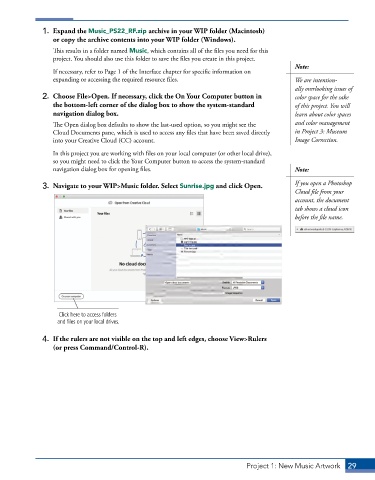
              2.  Choose File>Open. If necessary, click the On Your Computer button in     color space for the sake
                 the bottom-left corner of the dialog box to show the system-standard      of this project. You will
                 navigation dialog box.                                                    learn about color spaces
                 The Open dialog box defaults to show the last-used option, so you might see the   and color management
                 Cloud Documents pane, which is used to access any files that have been saved directly   in Project 3: Museum
                 into your Creative Cloud (CC) account.                                    Image Correction.
                 In this project you are working with files on your local computer (or other local drive),
                 so you might need to click the Your Computer button to access the system-standard
                 navigation dialog box for opening files.                                  Note:


              3.  Navigate to your WIP>Music folder. Select Sunrise.jpg and click Open.    If you open a Photoshop
                                                                                           Cloud file from your
                                                                                           account, the document
                                                                                           tab shows a cloud icon
                                                                                           before the file name.


                   Click here to access folders
                   and files on your local drives.

              4.  If the rulers are not visible on the top and left edges, choose View>Rulers
                 (or press Command/Control-R).


                                                                            Project 1: New Music Artwork   29

