


Page 49 - Adobe Photoshop 2021
P. 49
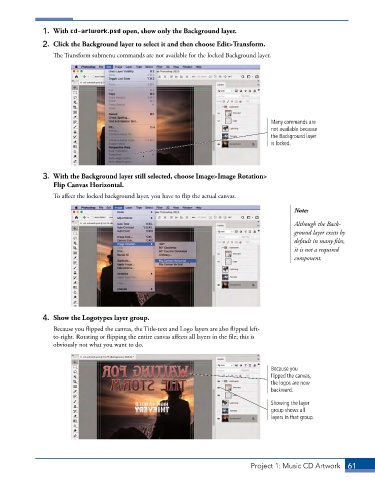
1.  With cd-artwork.psd open, show only the Background layer.

              2.  Click the Background layer to select it and then choose Edit>Transform.
                 The Transform submenu commands are not available for the locked Background layer.


                                                                                    Many commands are
                                                                                    not available because
                                                                                    the Background layer
                                                                                    is locked.


              3.  With the Background layer still selected, choose Image>Image Rotation>
                 Flip Canvas Horizontal.
                 To affect the locked background layer, you have to flip the actual canvas.

                                                                                           Note:

                                                                                           Although the Back-
                                                                                           ground layer exists by
                                                                                           default in many files,
                                                                                           it is not a required
                                                                                           component.


              4.  Show the Logotypes layer group.
                 Because you flipped the canvas, the Title-text and Logo layers are also flipped left-
                 to-right. Rotating or flipping the entire canvas affects all layers in the file; this is
                 obviously not what you want to do.


                                                                                    Because you
                                                                                    flipped the canvas,
                                                                                    the logos are now
                                                                                    backward.
                                                                                    Showing the layer
                                                                                    group shows all
                                                                                    layers in that group.


                                                                              Project 1: Music CD Artwork  61

